Website translation has become a strategic requirement for enterprises and government bodies that serve India’s diverse digital population. Around 98% of Indian internet users now access content in Indic (non-English) languages, according to the IAMAI–Kantar Internet in India Report 2024. When your platform remains English only, you risk excluding the very audiences driving digital growth.
This leads to low task completion rates, higher customer support loads, and reduced trust, especially in sectors like banking, citizen services, and ecommerce. CTOs, Product Managers, and Digital Leaders increasingly face challenges such as inconsistent translations, slow manual workflows, and scaling content across multiple regions.
This blog explains the website translation best practices and how you can apply them to build accurate, scalable, and culturally relevant multilingual websites.
At a Glance
- Website translation improves clarity, trust, and task success for users across India’s diverse languages.
- Meaning-based localisation, supported by AI and human QA, delivers accurate and user-friendly multilingual content.
- Unified glossaries, adapted layouts, and objective environment testing ensure consistent quality across all languages.
- The right translation technology must support automation, governance, security, and seamless integration with your stack.
- Anuvadak enables scalable, accurate, and efficient website localisation, helping you deliver inclusive digital experiences across regions.
Why Website Translation Matters for India’s Multilingual Digital Users?
India’s digital audience is not only large but also highly diverse in behaviour, literacy levels, and language comfort. As you expand across regions, your users expect platforms that speak their language and respect their cultural context.
Below are the factors that make website translation essential for your growth in India.
- Regional Behaviour Directly Impacts Digital Success: Users from different states interact with UI, microcopy, and service flows in unique ways. For example, a banking KYC page in Kannada tends to show higher completion rates compared to the same page in English.
- Local Language UX Builds Immediate Trust: Users feel safer when transactions, policies, menus, and instructions appear in their preferred language. This is especially important for sectors like BFSI and healthcare, where clarity influences adoption and compliance.
- Content Familiarity Reduces Drop-Offs: Many users abandon journeys when they do not understand critical steps. A government service portal that offers forms, eligibility criteria, and status updates in Tamil or Marathi sees fewer errors and retries.
- Multilingual Experiences Expand Your Reach Rapidly: Growth markets are no longer English-driven. If you run ecommerce or service-based platforms, providing your site in Hindi, Bengali, and Telugu helps you tap into the fastest-growing user groups.
- Regulatory and Accessibility Requirements Are Strengthening: More state and national bodies encourage citizen-facing and essential services to support Indian languages.
Now, let us have a look at why English-only websites fail in Bharat user journeys.
Why English-Only Websites Fail in Bharat User Journeys?
When your website relies only on English, you create friction for the majority of India’s digital users who prefer local languages. This affects how quickly users understand actions, evaluate credibility, and complete key tasks. If your organisation serves diverse audiences, an English-only interface limits the scale and impact of your digital services.
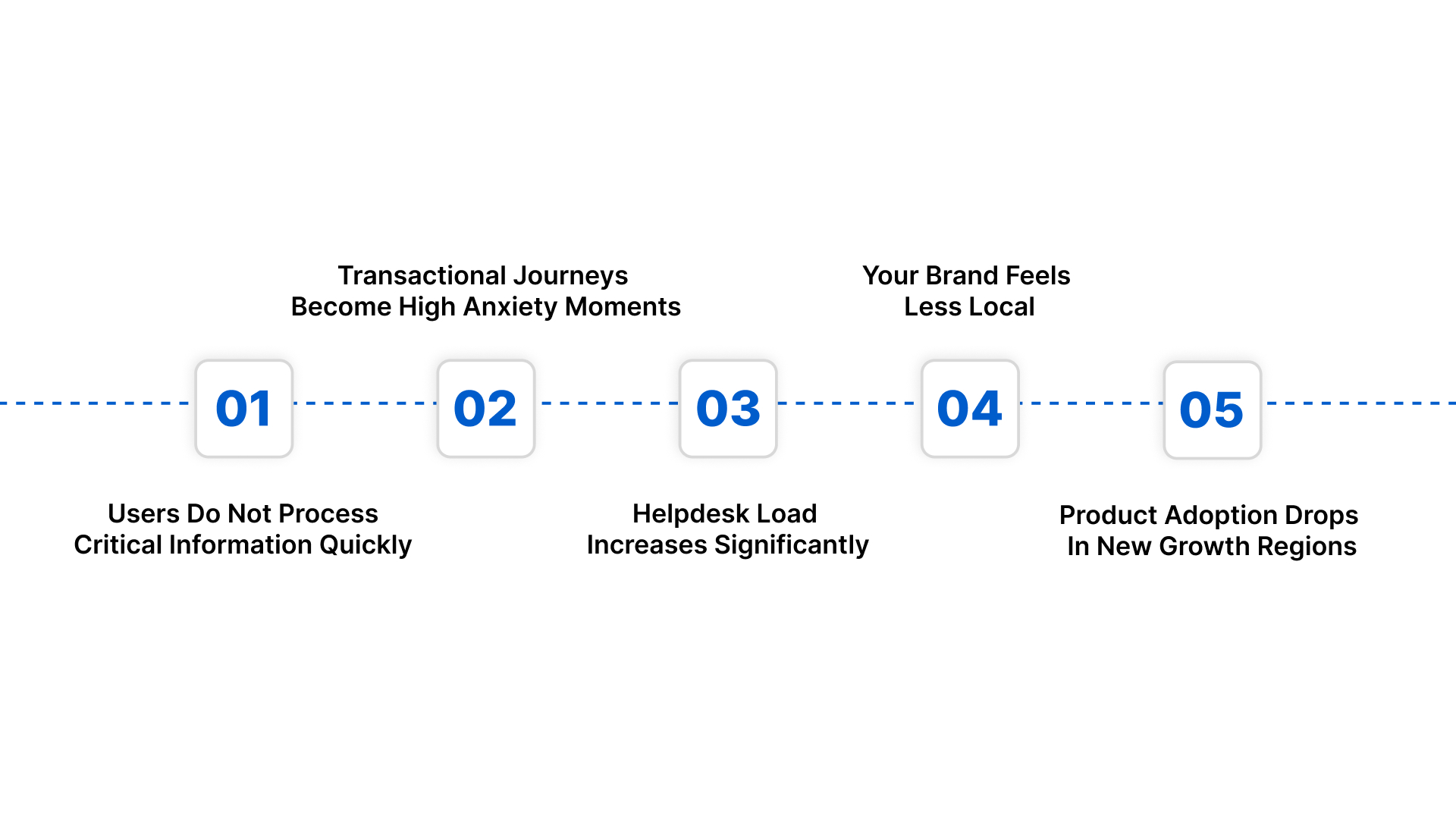
Below are the reasons English-only websites fail across Bharat user journeys.
- Users Do Not Process Critical Information Quickly: When instructions appear only in English, many users slow down or hesitate. For example, a loan eligibility section or a patient consent form becomes difficult to interpret.
- Transactional Journeys Become High Anxiety Moments: Payments, OTP steps, refund rules, or compliance prompts introduce uncertainty when not presented in the user’s language.
- Helpdesk Load Increases Significantly: When users cannot interpret form fields or service categories clearly, they tend to call support teams for guidance. This inflates operational costs for IT and customer experience teams that already manage large ticket volumes.
- Your Brand Feels Less Local And Less Reliable: Users in regional markets associate language familiarity with credibility. A retail or government portal that speaks only in English feels distant, while competitors offering native language content appear more trustworthy and user-ready.
- Product Adoption Drops In New Growth Regions: If you expand into markets where English literacy is low, your digital funnel weakens from the start. A product manager launching a new feature in Tier 2 and Tier 3 markets sees limited adoption when the interface is not aligned with local language expectations.
Give your users a browsing experience that feels familiar and effortless in their own language. Start strengthening your regional presence with seamless Website Localisation.
Bridging these needs requires a website translation system built on strong, reliable, and user-centric components.
What Are the Core Components of an Effective Website Translation System?
When you build a multilingual website at scale, you need more than simple text conversion. You need an organised system that keeps every translation aligned with your product workflows, brand Localisation rules, and release cycles.
This becomes even more important when your teams manage frequent updates, multiple languages, and high compliance standards.
Below are the core components you should prioritise when designing your website translation system.
- Structured Content Inventory and Segmentation: You need a clear breakdown of static pages, dynamic elements, UI labels, and microcopy. This helps you assign workflows correctly and avoid translation gaps during deployments.
- Terminology Frameworks For Domain Specific Language: Your website needs standardised terms for regulatory, financial, healthcare, or operational vocabulary. A controlled terminology set prevents variations across teams and ensures that every language uses the same approved word choices.
- Context Mapping for Each Content Element: Translators need to understand where each string appears. Without context, UI labels, menu items, or system prompts can be misinterpreted. When you map each element to its screen or flow, your translations become clearer and more accurate.
- Central Repository For Language Assets: All your glossaries, reviewed translations, and approved language assets should live in a unified system. This helps you maintain consistency across regions and reduces repeated work across departments.
Understanding these core components sets the foundation for applying the website translation best practices for success.
Top 5 Website Translation Best Practices
Creating a multilingual website requires more than translating text. You need a system that supports accuracy, scalability, and consistent user experiences as your digital footprint evolves.
Many enterprises struggle because their translation processes operate separately from development, QA, and content operations. By aligning these functions, you create predictable, high-quality multilingual releases that support long-term growth.
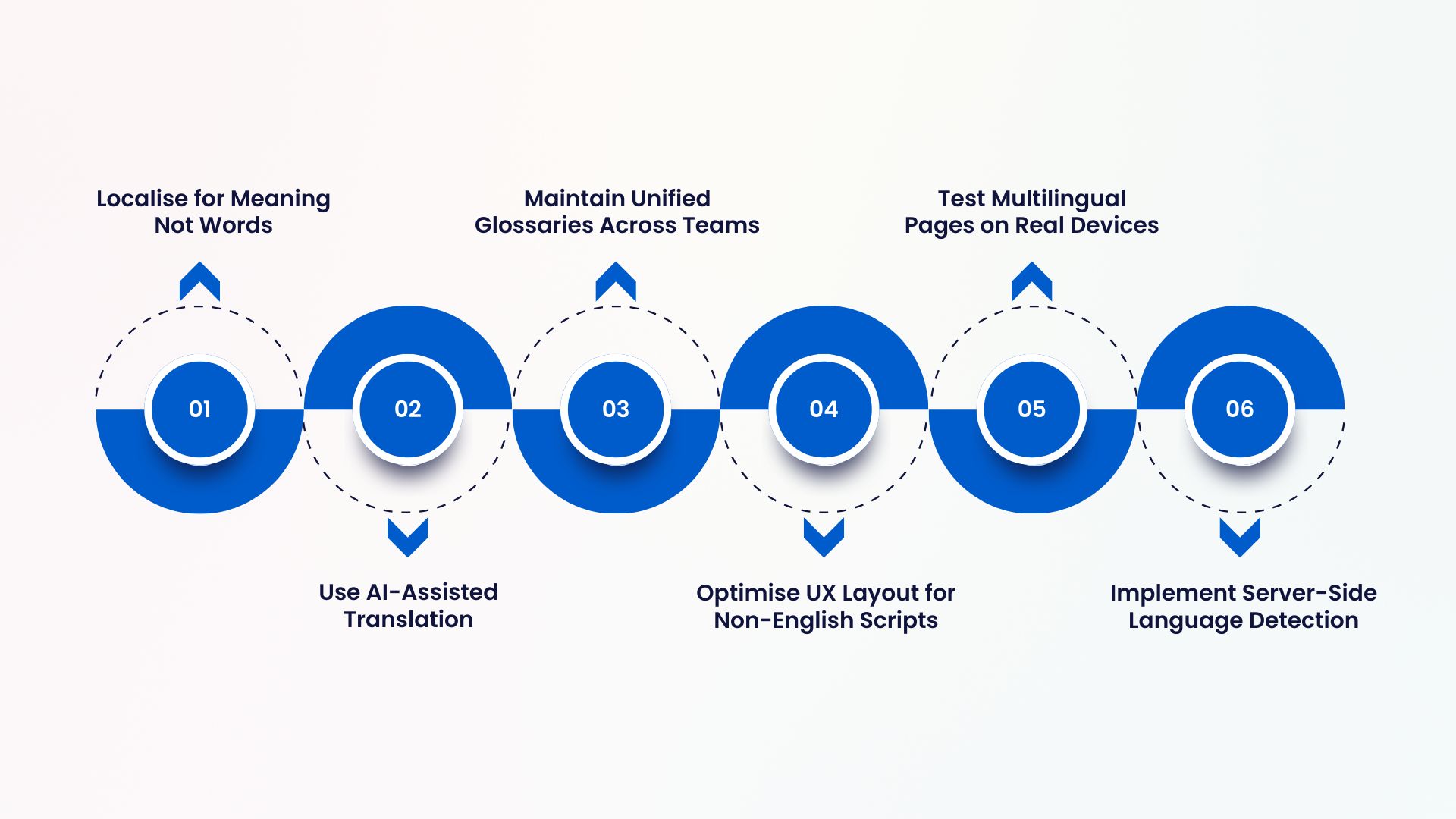
Below are the 5 website translation best practices you should follow.
Practice 1: Localise for Meaning Not Words
Direct word replacements rarely give you the clarity or intent your users need during critical web interactions. When you localise for meaning, you capture the purpose of each message rather than its literal structure.
Below are the principles you should apply when localising for meaning.
- Interpret User Intent Behind Each String: Before translating a field or instruction, identify what action you want the user to take. For example, a label like Verify Details may need a culturally adapted version that conveys reassurance in a more conversational tone.
- Adapt Expression Style To Match Local Usage: Each language has its own rhythm and phrasing. When you adjust tone and structure to fit local speech patterns, your pages feel intuitive. A product disclaimer or payment note often needs softer phrasing in regional languages.
- Replace Idioms and Phrases with Culturally Clear Alternatives: Many English expressions do not translate well. Instead of replicating them, use equivalents that carry the same meaning. This helps users follow instructions without confusion.
- Focus On Actionable Clarity For Sensitive Journeys: Forms, permissions, and consent text require high accuracy. When you express meaning clearly, you help users understand responsibilities or next steps without ambiguity.
Also Read: Why Insurers Are Tuning In to These Best AI Voice Agents
Practice 2: Use AI-Assisted Translation With Human QA
When you manage large websites across multiple languages, speed and accuracy must work together. AI-assisted translation helps you scale quickly, but you still need expert review to refine tone, validate context, and confirm regulatory clarity.
Below are the principles to follow when combining AI translation with human QA.
- Use AI to Handle High Volume Content Efficiently: When you have bulk text changes or frequent updates, AI can generate first-pass translations instantly. This keeps your multilingual pages aligned with rapid product changes.
- Apply Human Review For Context And Nuance: Reviewers ensure that translations match your intended meaning, domain terminology, and compliance needs. For example, a healthcare symptom description or a financial advisory note requires careful human validation.
- Create A Clear Workflow Between AI Output And QA: Define which content types go through full review and which need partial checks. This helps you optimise review time without slowing down deployment.
- Track Quality Metrics Across Languages: Use feedback loops to monitor consistency, error patterns, and reviewer inputs. This helps you refine your AI models and improve future translation accuracy.
Practice 3: Maintain Unified Glossaries Across Teams
As your website grows, different teams introduce new terms for features, services, and policy-related content. If these terms are not standardised, your translations become inconsistent across pages and languages.
Below are the principles to follow when building unified glossaries.
- Define Approved Terms For Each Domain Area: Identify vocabulary for technical, legal, educational, or operational content. For example, in banking, terms like recurring payment or credit limit should have fixed equivalents in every language.
- Involve Cross-Functional Teams in Glossary Decisions: Include product, content, and compliance teams when approving terms. This ensures that translations match both functional intent and industry requirements.
- Create Language Variants That Reflect Regional Usage: Some terms need different expressions across dialects. When you document these variations, you avoid confusion for user groups with distinct linguistic preferences.
- Link Glossaries To Your Translation Tools: When your glossary integrates with your localisation system, translators receive real-time guidance. This keeps your multilingual content aligned across updates.
Practice 4: Optimise UX Layout for Non-English Scripts
When you present content in Indian languages, the structure of your interface must adapt to scripts that take more visual space and follow different reading rhythms. If your layout does not adjust, users face cramped text, misaligned labels, and unclear action points.
Below are the principles you should follow when designing for non-English scripts.
- Allocate Flexible Space For Text Expansion: Many Indian scripts require more characters to express meaning. Allow flexible width or dynamic containers so that key elements like menu items and form fields remain readable.
- Adjust Line Height and Letter Spacing for Each Script: Scripts like Bengali or Malayalam need more breathing room. When you fine-tune spacing, your text becomes easier to scan on both desktop and mobile.
- Redesign Button Labels For Visual Balance: Longer labels can push design elements out of alignment. Test shorter phrasing or adaptive button sizes to maintain a clean interface across languages.
- Check Icon And Text Pairing For Clarity: Some icons rely heavily on accompanying text to explain their purpose. When you translate that text, confirm that the icon still supports the intended meaning.
Practice 5: Test Multilingual Pages on Real Devices and Regions
Laboratory testing alone cannot show you how multilingual users truly experience your website. Device types, network conditions, and regional settings influence how translated content loads and behaves.
Below are the principles you should follow while testing multilingual experiences.
- Validate Performance on Devices Common in Each Region: Users in different states prefer different device categories. For example, some regions rely heavily on budget Android phones. Testing on these devices helps you catch display issues early.
- Check How Content Renders Under Varying Network Speeds: Regional networks differ in reliability. When you test pages on slower connections, you ensure that translated content loads correctly and maintains usability.
- Simulate Real User Journeys With Local Settings Enabled: Browser language, keyboard scripts, and input preferences affect how pages behave. Enable these settings to see how the full journey feels for native language users.
- Collect Feedback From Local Reviewers Or Field Teams: People who speak the language natively can highlight usability problems or unexpected phrasing. Their feedback helps you refine both design and content.
If your users rely on mobile-first journeys, your app experience deserves the same care as your website. Strengthen your multilingual UX across devices with App Localisation.
Following these best practices helps you avoid the common mistakes that can undermine your website translation efforts.
What Are the Most Common Mistakes in Website Translation?
Even with strong processes, multilingual websites often fail because of issues that slip through during planning or execution. These mistakes weaken your user journeys and create inconsistencies that your teams need to correct later.
Below are the common mistakes you should avoid, along with practical fixes.
Translating Without Understanding Functional Behaviour
- Mistake: Strings are translated without considering how users interact with them in the flow.
- Fix: Map each string to its action. For example, confirm buttons in financial applications should reflect urgency and clarity suited to the task.
Using The Same Phrase Across Different Contexts
- Mistake: One translation is applied to multiple screens even when each screen conveys a different intention.
- Fix: Create context tags for every content element so that each message matches its purpose.
Overlooking Script Specific Formatting Requirements
- Mistake: Translated text appears compressed or visually misaligned.
- Fix: Apply script-level spacing rules and test with responsive breakpoints.
Not Reviewing System-Generated Microcopy Carefully
- Mistake: Auto-generated error messages or system prompts often contain unclear wording when translated.
- Fix: Add microcopy review to your QA workflow and maintain a clean library of approved messages.
Ignoring Regional Variants Within The Same Language
- Mistake: You assume one version of a language fits all states.
- Fix: Document state-wise preferences and create variants only where they improve clarity.
Recognising these common mistakes makes it easier to choose the right translation technology that prevents them.
How to Choose the Right Website Translation Technology?
Selecting the right translation technology influences how smoothly your multilingual website scales across regions. You need a solution that fits into your existing stack, supports rapid updates, and gives you full control over quality.
Below are the factors you should evaluate when selecting your translation technology.
- Flexibility To Support Diverse Content Structures: Your system must handle UI labels, dynamic components, structured fields, and long-form content. For example, a government portal may mix database-driven text with policy documents. Your technology should manage both seamlessly.
- Integration Options That Fit Your Current Architecture: APIs, plugins, or middleware should align with your CMS or custom build. This avoids manual sync issues and helps your multilingual content stay updated across releases.
- Governance Controls For Large Teams: When multiple roles manage content, your platform should offer distinct permissions, approval workflows, and audit trails. This keeps your localisation activities controlled and accountable.
- Performance Optimisation For High Traffic Pages: Translated content should load with the same speed and stability as your primary language. Test how the system handles caching, rendering, and large language sets.
Also Read: Top 10 Voice Cloning APIs for Developers in 2025
Selecting the right translation technology is only the first step; measuring its impact is what truly defines success.
Measuring the Success of Your Website Translation Efforts
Once you launch multilingual pages, you need a clear framework to understand how users respond to your translated content. Success depends on more than traffic numbers. You must measure how smoothly users complete tasks, how confidently they guide your pages, and how engagement differs across regions.
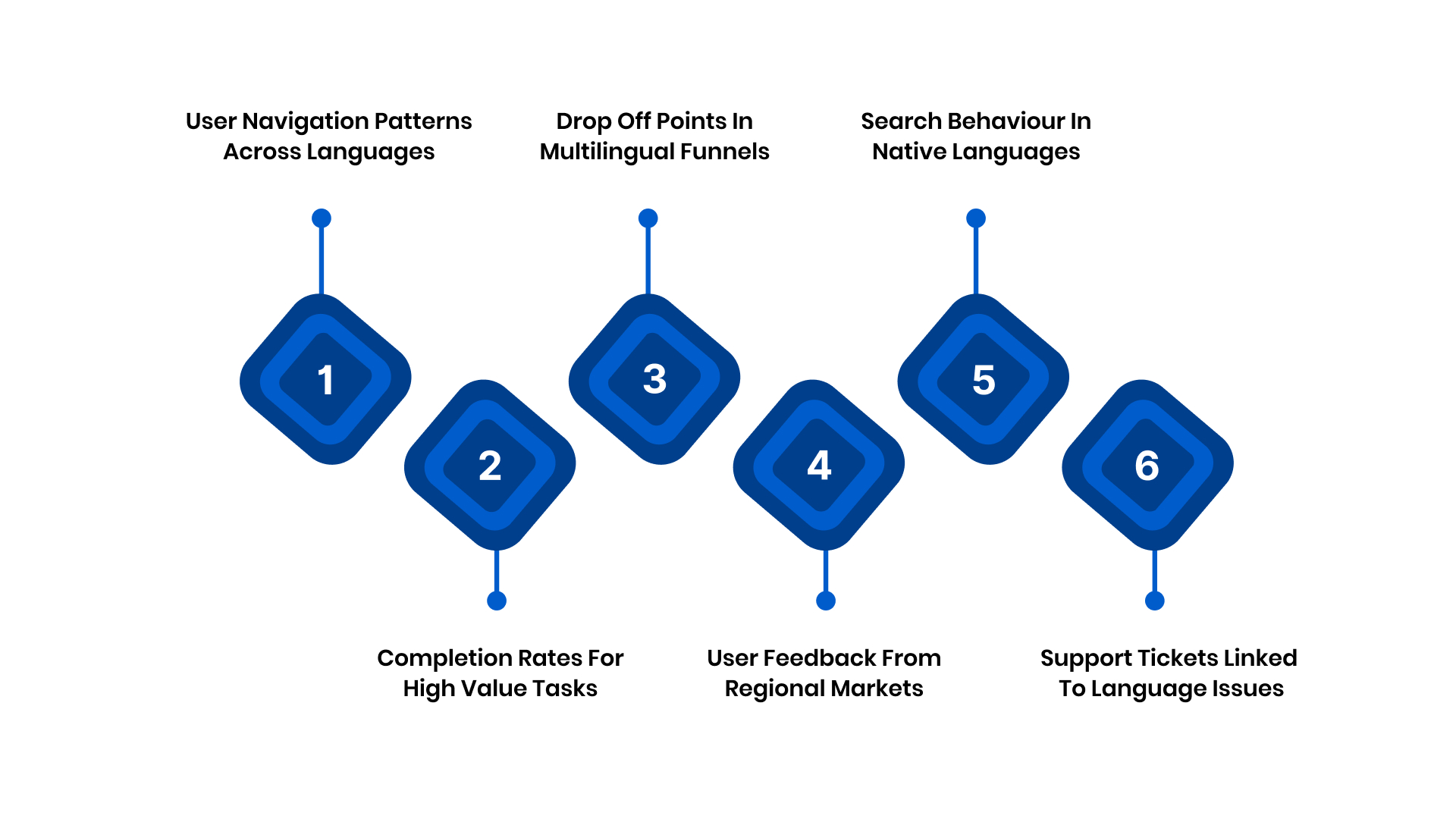
Below are the indicators you should monitor to measure translation success.
- User Navigation Patterns Across Languages: Track how users move through key workflows after switching languages. For example, if users progress faster in regional versions, your translations support clarity and comprehension.
- Drop Off Points In Multilingual Funnels: Identify where users stop or hesitate in specific language journeys. These insights help you locate unclear content or layout issues that need refinement.
- User Feedback From Regional Markets: Collect comments from field teams or in page surveys. Users often reveal subtle issues in phrasing or usability that analytics alone may not surface.
- Support Tickets Linked To Language Issues: Review tickets or chat queries where users struggled with understanding. A decline in such cases reflects improved translation accuracy.
Also Read: Voice AI in Consumer Electronics: Redefining Customer Experience
Now, let us have a look at how Anuvadak enables scalable, accurate, and streamlined website translation.
How Anuvadak Supports Scalable and Accurate Website Translation?
Anuvadak helps you manage multilingual websites at enterprise scale without increasing operational load. It offers a structured localisation system that integrates with your existing workflows, automates updates, and maintains linguistic accuracy across every page.
Suppose you handle complex content, regulatory requirements, or rapid release cycles. In that case, Anuvadak gives you the control, speed, and consistency you need to deliver high-quality digital experiences in multiple Indian languages.
Below is how Anuvadak supports your multilingual operations.
- Automated Website Localisation Workflows: Anuvadak scans your site, identifies translatable elements, and automates the translation cycle. You avoid manual copy-pasting and ensure all updates sync instantly with your website.
- Centralised Dashboard for Content Management: You manage all languages from one interface. This helps your product, content, and compliance teams collaborate efficiently and maintain oversight across every translation task.
- Context-Aware Translation Memory and Glossary Controls: Anuvadak stores previously approved translations and terminology. This ensures consistent wording across pages and reduces repetitive work during future releases.
- Real Time Integration With CMS And Custom Stacks: Anuvadak connects directly with your CMS or custom backend, allowing new content to be translated and deployed automatically without engineering intervention.
- AI-Powered Translation with Human Review Support: You get fast AI-assisted translation paired with workflows that allow your internal or external reviewers to refine content. This improves both speed and accuracy.
- Script Friendly Rendering And Layout Support: Anuvadak processes text in a way that preserves readability across Indian scripts. This helps your UI display cleanly without requiring extensive redesigns for each language.
Recognising how Anuvadak strengthens your translation workflow brings us to a final takeaway on building successful multilingual websites.
Conclusion
Delivering a multilingual website is no longer a branding choice. It is a critical capability that shapes how confidently users interact with your services across India. When your platform adapts to regional language needs with clarity and precision, you improve trust, strengthen adoption, and remove friction from every key journey.
Anuvadak gives you this advantage with automation, governance, and language intelligence designed specifically for enterprise and government teams.
Explore how Anuvadak can transform your multilingual delivery before you fall behind: If you want guided support or a tailored walkthrough, connect with the Anuvadak team today!
FAQs
1. What is the difference between website translation and website localisation?
Website translation focuses on converting text from one language to another. Website localisation goes further by adapting tone, cultural references, layouts, visuals, and user journeys to match regional expectations.
2. How many languages should I offer on my website for the Indian market?
Choose languages based on your target states, user demographics, and service coverage. Most enterprises start with Hindi plus two to four regional languages. Analyse traffic sources and customer locations to identify priority languages.
3. How do I estimate the cost of translating a large website?
Costs depend on word count, content complexity, number of languages, and the level of human review required. Dynamic pages, compliance text, and UI elements can increase effort.
4. What skills should a website localisation team have?
Your team should understand language nuances, UX patterns, domain-specific vocabulary, quality review techniques, and basic CMS or development workflows. Strong collaboration between content, product, and engineering teams is essential.
5. How do I maintain SEO performance when translating my website into multiple languages?
Translate metadata, headings, structured content, and alt text correctly. Use hreflang tags, localised URLs, and keyword research for each region. Avoid duplicate content issues by creating unique regional pages.

