When your product reaches users worldwide, its interface becomes the bridge between technology and people. If that interface only speaks one language or reflects one culture, your audience remains limited.
UI localisation helps you overcome this barrier by adapting the look, feel, and function of your user interface for each market you serve.
Effective localisation goes beyond translating words. It ensures that every button, label, icon, and visual element feels natural to local users. When your interface speaks their language, both linguistically and culturally, users feel seen, understood, and valued.
With the right localisation process, you can improve usability, strengthen brand trust, and expand your digital reach efficiently. This guide explains what UI localisation is, why it matters, and the best practices that help you design and deliver localised interfaces that feel native to every audience.
Key Takeaways
- Localisation builds inclusion. Adapting your interface to user languages and cultures creates comfort, clarity, and deeper engagement.
- Plan internationalisation early. Preparing your design and code for localisation prevents errors, reduces costs, and accelerates scaling.
- Technology drives consistency. Using tools like Anuvadak helps automate updates, maintain quality, and manage multilingual workflows securely.
- Localisation is continuous. Regular testing, user feedback, and audits ensure your product stays relevant and trusted across markets.
What Is UI Localisation? Definition and Key Concepts
UI localisation is the process of adapting your product’s user interface to meet the language, cultural, and functional expectations of users in different regions. It involves translating visible text and adjusting interface elements, layouts, and visuals so that users can interact comfortably in their preferred language and context.
A well-localised interface does more than display text in another language. It ensures that each element, from navigation menus to date formats, aligns with regional habits, reading directions, and aesthetic norms.
For example, a finance app for Hindi users in India might show currency symbols in rupees and align numbers according to Indian formatting standards.
UI Localisation vs Translation vs UX Localisation
It’s common to confuse UI localisation with general translation or broader UX localisation. The table below clarifies how these differ:
| Aspect | Translation | UI Localisation | UX Localisation |
| Focus | Converts text from one language to another | Adapts the interface design and language | Adapts the overall user experience, including workflows |
| Scope | Words and text | Visuals, layout, and text | End-to-end product experience |
| Example | Translating a button label | Adjusting button size, alignment, and label length | Changing navigation flow for local usage patterns |
Core Elements of UI Localisation
UI localisation combines three essential layers:
- Linguistic Accuracy: Translating interface content correctly while maintaining tone and clarity.
- Cultural Relevance: Ensuring visuals, icons, and colours match local customs and expectations.
- Functional Usability: Preserving layout balance, readability, and performance in every language version.
When these elements align, users experience your product as if it were designed for them from the start. That sense of familiarity builds trust, loyalty, and engagement, outcomes every global brand aims to achieve.
Now that you understand what UI localisation involves, the next step is to explore why it plays such a crucial role in global product success.
Also Read: What Is Content Localisation: A Complete Guide
Why UI Localisation Matters for Your Product
UI localisation plays a crucial role in how users connect with your product. It makes your interface accessible, trustworthy, and culturally relevant to people worldwide.
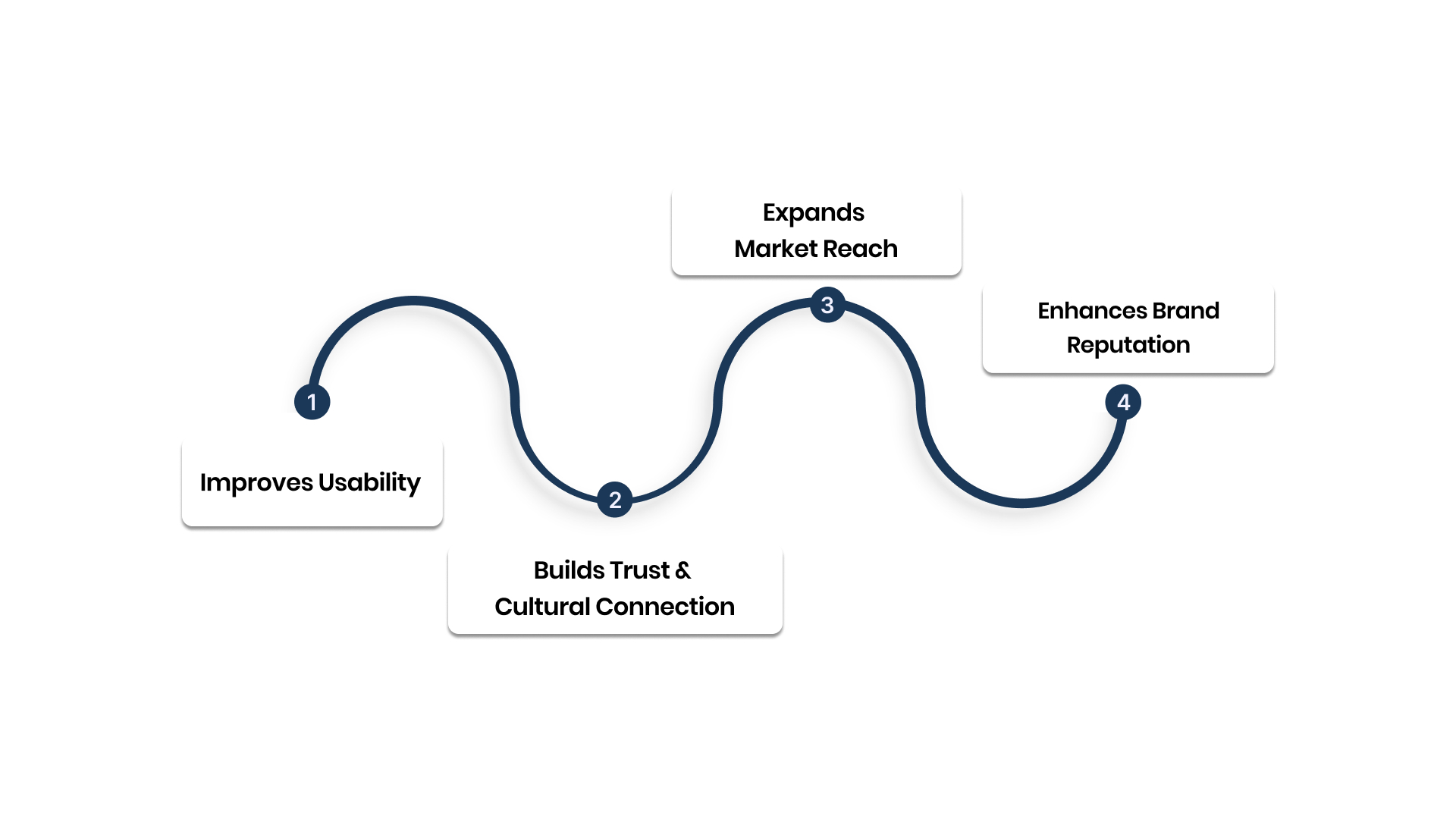
1. Improves Usability
When your interface speaks the user’s language, navigation feels natural. Users quickly understand buttons, forms, and instructions without guessing their meaning.
2. Builds Trust and Cultural Connection
Adapting colours, symbols, and icons for each region shows you value local identity.
For example:
- Red can mean danger in one culture but celebration in another.
- Date formats, currencies, and icons differ across regions.
3. Expands Market Reach
A localised interface removes barriers for new audiences, helping your product appeal to non-English users and first-time digital customers.
4. Enhances Brand Reputation
Inclusivity through language and culture reflects care and professionalism. It signals that your brand understands and respects its users globally. UI localisation, therefore, is not a translation task; it’s a growth and trust strategy.
Also Read: Stop Translating. Start Localising. Here’s Why It Matters.
Internationalisation (i18n): The First Step
Before localising a user interface, you need to prepare your design and codebase for it. This process is called internationalisation, often shortened to i18n. It ensures that your product’s technical and visual foundations can adapt smoothly to different languages and regions.
Think of internationalisation as the groundwork that makes localisation scalable. Without it, translating your UI later can lead to broken layouts, hard-coded text, or even unreadable characters.
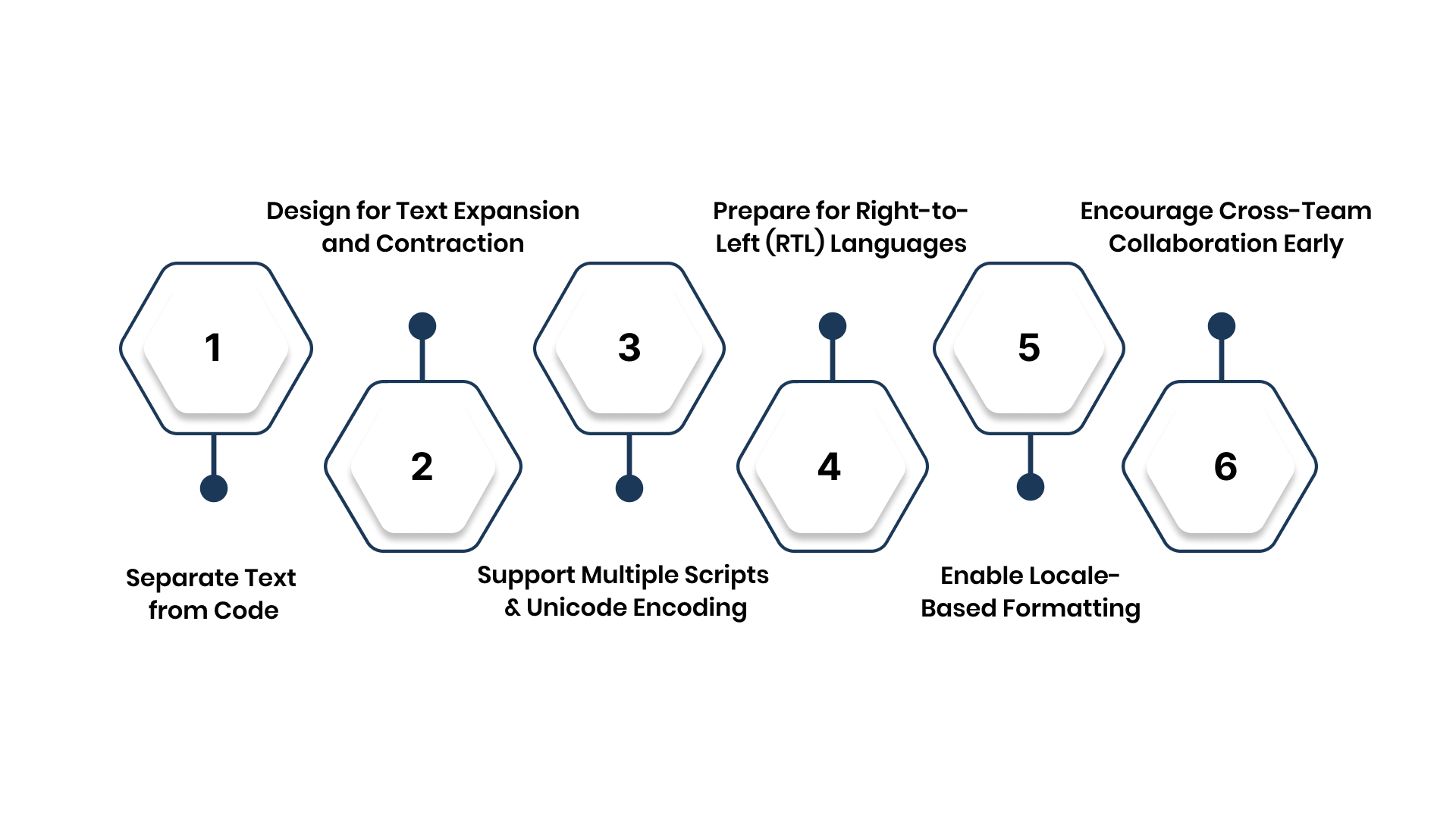
1. Separate Text from Code
All user-facing text should be externalised from the main code. Store it in resource files or string repositories so translators can work independently without developer intervention.
Benefits:
- Reduces manual editing in the codebase.
- Simplifies translation updates.
- Makes maintenance easier during future product releases.
Example: Instead of embedding “Submit” directly into a button’s HTML, reference a language variable such as label.submit.
2. Design for Text Expansion and Contraction
Some languages take more space than others. German, for instance, often expands text length by up to 30% compared to English. Conversely, Chinese or Korean characters may occupy less space but require larger font sizes for readability.
Best practices:
- Leave adequate padding in UI containers.
- Use auto-sizing text fields and flexible grid layouts.
- Avoid fixed-width elements that restrict resizing.
This flexibility ensures your interface remains visually balanced in every language.
3. Support Multiple Scripts and Unicode Encoding
Every language uses different character sets. Unicode ensures your application can display scripts such as Devanagari, Tamil, or Arabic without rendering errors.
Tips:
- Always store and render text using UTF-8 encoding.
- Test your UI with sample multilingual data.
- Validate that fonts and input fields support complex scripts.
This step is especially critical for Indian language interfaces, where multiple scripts coexist within one platform.
4. Prepare for Right-to-Left (RTL) Languages
Arabic, Urdu, and Hebrew read from right to left. A localisation-ready interface should automatically mirror layouts, align text correctly, and adjust navigation flows for these languages.
Key considerations:
- Use flexible alignment rules rather than fixed coordinates.
- Ensure icons and arrows flip direction where needed.
- Test visual balance to maintain design integrity.
5. Enable Locale-Based Formatting
Regional conventions for dates, times, numbers, and currencies vary widely. A user in India expects “31/12/2025,” whereas an American user may read “12/31/2025.”
Good practice:
- Use locale-aware libraries for automatic formatting.
- Display currency symbols and units that match user preferences.
- Localise measurement systems (kilometres, Celsius) when relevant.
6. Encourage Cross-Team Collaboration Early
Internationalisation is most effective when designers, developers, and translators work together from the start. Collaboration helps identify potential issues early, saving both time and cost.
A platform like Anuvadak can simplify this coordination by connecting content, design, and translation workflows through APIs.
Now that your interface is ready for localisation, the next step is understanding the components involved and how they shape user experience across languages.
Also Read: What is i18n? A Strategic Guide to Internationalisation for Modern Enterprises
Components of UI Localisation
UI localisation involves more than translating words. It requires adapting every part of the interface so users can interact naturally within their own cultural and linguistic context. These are the core components that make localisation effective.
1. Text and Copy
The most visible aspect of localisation is language. Interface elements such as buttons, menus, and notifications must be translated accurately while keeping tone and clarity consistent. Avoid hard-coded text. Instead, use resource files that allow quick updates when content changes.
Tip: Maintain a style guide and glossary to ensure consistency across languages.
2. Layout and Design
Different languages affect text length, alignment, and direction. Ensure layouts are responsive and adaptable to both left-to-right and right-to-left scripts.
Checklist:
- Allow for text expansion and contraction.
- Align elements dynamically instead of fixing widths.
- Use responsive grids and flexible containers.
3. Formatting and Data Representation
Formats for dates, time, currency, and numbers vary between regions. Use locale-aware libraries that automatically adapt these details based on user settings.
Example: Display “31/12/2025” for UK users and “12/31/2025” for US audiences.
4. Visuals, Icons, and Colours
Visual elements carry meaning across cultures. Use images, symbols, and colour palettes that fit local preferences.
Example: An owl represents wisdom in some regions but may symbolise bad luck in others.
5. Input Methods and Encoding
Support diverse scripts and input styles such as accent marks, complex characters, or non-Latin alphabets.
Always use Unicode (UTF-8) encoding to ensure text displays correctly in all languages.
When all these components align, your interface feels natural and intuitive to every user, regardless of where they are or what language they speak.
Best Practices for Effective UI Localisation
Successful UI localisation depends on thoughtful planning and collaboration between designers, developers, and translators. The following best practices help ensure every version of your interface feels authentic, usable, and brand-consistent.
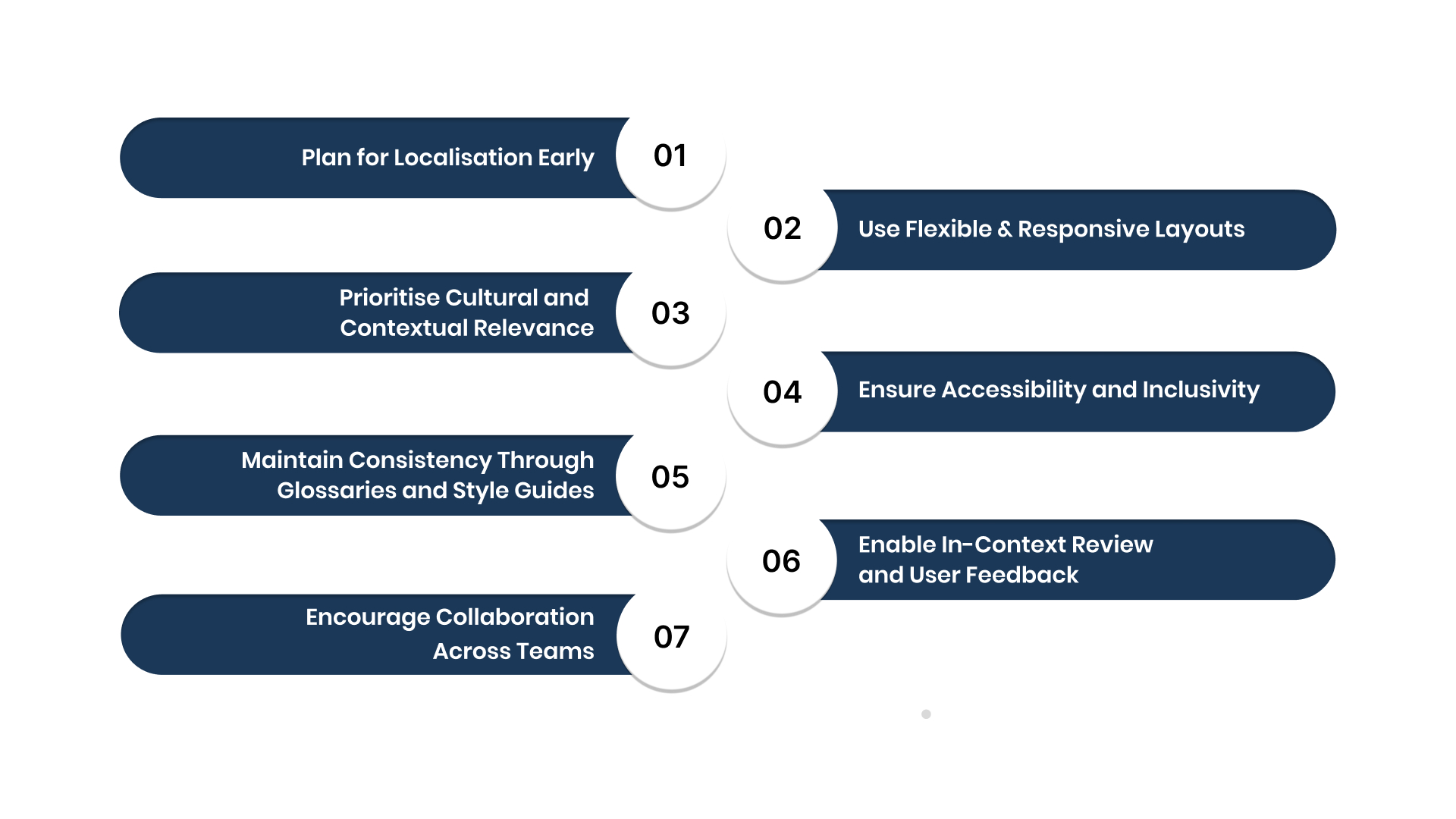
1. Plan for Localisation Early
Integrate localisation considerations during design and development.
- Externalise text from code.
- Build with flexible containers and scalable layouts.
- Avoid using text within images or icons.
Planning early saves redesign effort later and prevents layout issues.
2. Use Flexible and Responsive Layouts
Each language behaves differently on-screen. Responsive design prevents clipping, overlapping, or misaligned elements.
Best practice: Leave adequate padding and enable auto-sizing text fields to accommodate expansion.
3. Prioritise Cultural and Contextual Relevance
Adapt your content, tone, and visual cues for local audiences.
- Review colours and symbols for cultural fit.
- Adapt icons and labels based on user familiarity.
- Avoid idioms or metaphors that may not translate well.
Example: A paper plane icon for “send” works well globally, but text-based humour rarely does.
4. Ensure Accessibility and Inclusivity
Design for everyone, including users with disabilities.
- Maintain readable font sizes.
- Use high-contrast colour combinations.
- Support screen readers and local accessibility standards.
Accessibility complements localisation by ensuring usability for all.
5. Maintain Consistency Through Glossaries and Style Guides
Establish a glossary of approved terms and tone guidelines. This keeps the brand voice consistent across languages and helps translators maintain accuracy.
6. Enable In-Context Review and User Feedback
Provide translators with context by showing how text appears within the interface. After localisation, gather user feedback to identify cultural or linguistic mismatches.
Example: Using Anuvadak’s in-context translation capabilities allows teams to view, review, and adjust text directly within design previews.
7. Encourage Collaboration Across Teams
Bring designers, developers, and localisation specialists together early. Clear communication avoids rework and speeds up delivery.
Following these practices ensures your product feels familiar, consistent, and engaging to users in every region. It turns localisation from a translation task into a seamless part of product design and growth.
Also Read: Website and CMS Localization: A Comprehensive Guide
UI Localisation Workflow and Implementation
A structured workflow helps you deliver consistent and scalable UI localisation. Whether you are adapting a web platform, app, or enterprise system, a repeatable process ensures accuracy, efficiency, and quality control across all languages.
Here’s a step-by-step approach to implementing UI localisation effectively.
1. Research Target Markets and User Needs
Begin by identifying which languages and regions bring the greatest value to your business. Study cultural preferences, device usage patterns, and accessibility standards.
Tip: Focus on a few high-impact markets first before expanding further.
2. Extract and Organise Text Strings
Separate all translatable text from your code into structured resource files. This allows translators to work independently without disrupting development.
Best practice: Use descriptive keys (for example, label.login) instead of hard-coded values.
3. Translate and Localise Content
Share extracted text with professional translators or use a translation management system. Ensure they have context on where each string appears.
Important: Provide screenshots, mock-ups, or design previews to maintain tone and intent.
4. Integrate Translations into Design Prototypes
Reinsert translated text into design prototypes or wireframes. This helps check spacing, alignment, and readability before launch.
Example: Using tools integrated with your design software can help preview how text expansion affects layout.
5. Test and Review Locally
Conduct internal and user-based testing in each target language. Check for functional accuracy, layout stability, and language flow.
Checklist:
- Does the text fit correctly within UI elements?
- Are images, icons, and colours contextually appropriate?
- Are locale settings applied correctly (date, currency, etc.)?
6. Launch, Monitor, and Improve
Once live, track analytics by language and gather user feedback. Identify usability issues or translation inconsistencies, and update regularly.
Pro Tip: Platforms like Anuvadak allow you to manage localisation workflows centrally. You can update translations, test versions, and deploy content directly from one dashboard.
A well-defined workflow keeps your localisation process predictable, transparent, and repeatable, saving time while improving quality and user satisfaction.
Also Read: 7 Essential Tips for Effective CMS Localisation
Tools and Technologies for UI Localisation
Technology makes localisation faster, more reliable, and scalable. From design integration to automated translation, the right tools streamline collaboration between designers, developers, and translators.
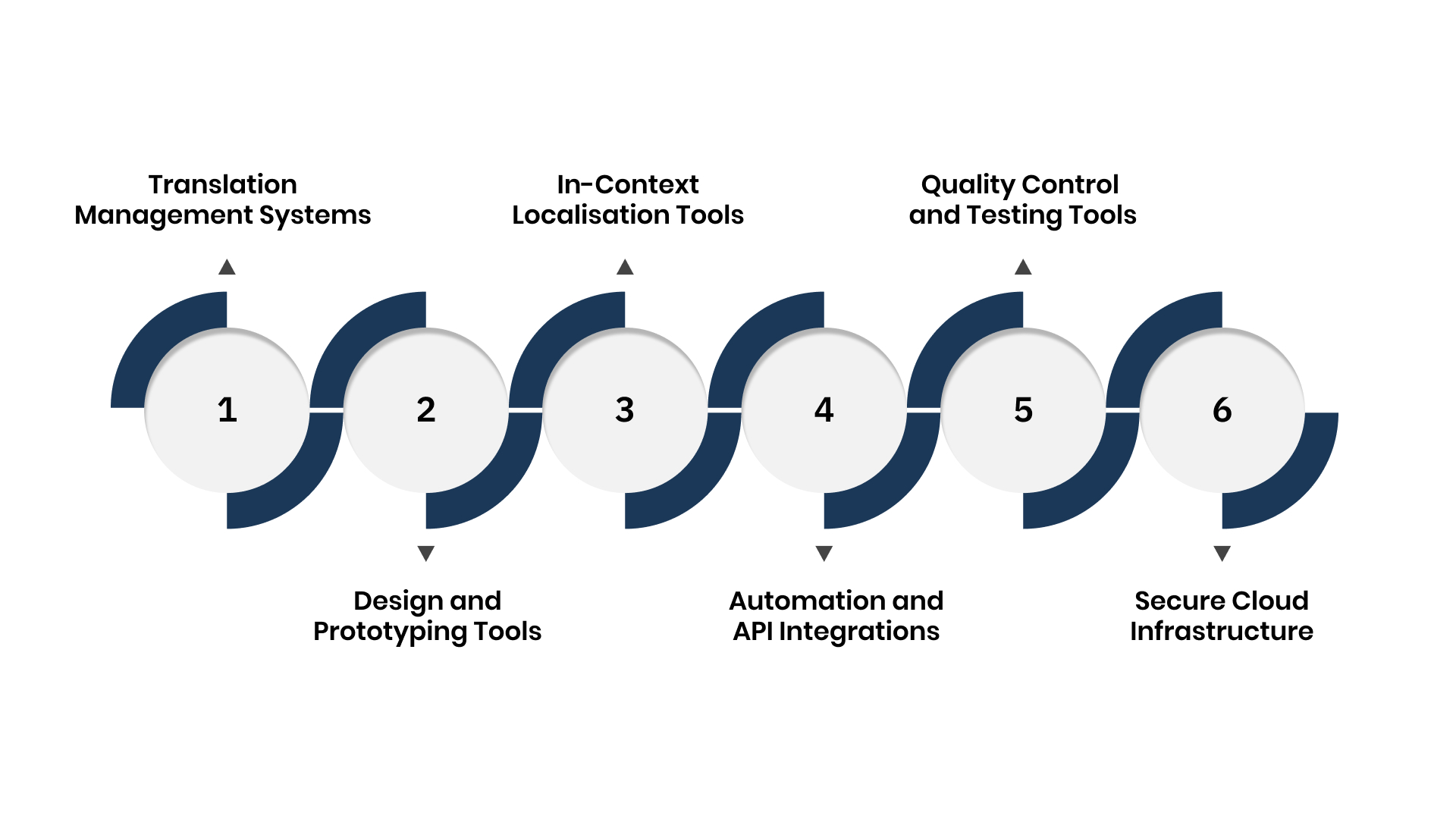
Here are the key categories of tools that support an efficient localisation process.
1. Translation Management Systems (TMS)
A TMS acts as your central hub for all translation activities. It stores terminology, manages workflows, and tracks progress in real time.
Benefits:
- Centralised control of projects and versions.
- Built-in quality checks for consistency.
- Easy collaboration between teams.
Example: Tools like Anuvadak combine TMS functionality with automation and security designed for enterprise environments.
2. Design and Prototyping Tools
Platforms such as Figma, Sketch, and Adobe XD allow teams to integrate translations directly into design previews. Translators can view the interface as users would, reducing context errors.
Tip: Enable plug-ins or extensions that synchronise text layers with your localisation platform for in-context review.
3. In-Context Localisation Tools
These tools show translations within the live interface, helping teams verify placement, layout, and readability.
Advantages:
- Fewer design iterations.
- Accurate spacing and formatting checks.
- Immediate feedback from translators and testers.
4. Automation and API Integrations
APIs connect your content management system, development environment, and localisation platform. They automate file transfers and version updates, reducing manual effort.
Benefits:
- Real-time updates for new strings.
- Seamless integration across apps and websites.
- Reduced human error and deployment time.
5. Quality Control and Testing Tools
Automated tools can detect untranslated strings, encoding issues, or layout errors across multiple languages before release. Combine these with human review for final validation.
Example: Anuvadak’s QA automation flags inconsistencies instantly, helping teams maintain accuracy at scale.
6. Secure Cloud Infrastructure
Security is essential for enterprise localisation. Use platforms that encrypt data, manage permissions, and comply with privacy standards such as GDPR.
Choosing the right combination of tools ensures your localisation process remains fast, consistent, and secure, while giving teams the flexibility to adapt as your product grows.
Common Challenges and How to Overcome Them
Even well-planned localisation projects face hurdles. Recognising these challenges early helps teams maintain quality, consistency, and speed across all languages.
| Challenge | Impact | Solution |
| Text expansion | Layout breaks or overlapping content | Use flexible grids and auto-sizing text fields. Test long phrases early. |
| Inconsistent translations | Confusing or mismatched terminology | Create glossaries and use translation memory tools for consistency. |
| Cultural mismatch | Users may feel disconnected | Review visuals and colours with local experts before release. |
| Team silos | Delays and miscommunication | Use collaborative platforms like Anuvadak to centralise workflows. |
| Security risks | Data exposure or compliance issues | Choose secure, encrypted systems with enterprise-grade access control. |
Tip: Encourage continuous collaboration among designers, developers, and linguists. When everyone shares visibility, localisation becomes smoother and faster.
Also Raed: What Is a Target Language? A Complete Guide for Enterprise Localisation Strategy
Measuring Success and Continuous Optimisation
UI localisation doesn’t end at launch. Measuring impact and refining content ensures your interface remains relevant and user-friendly over time.
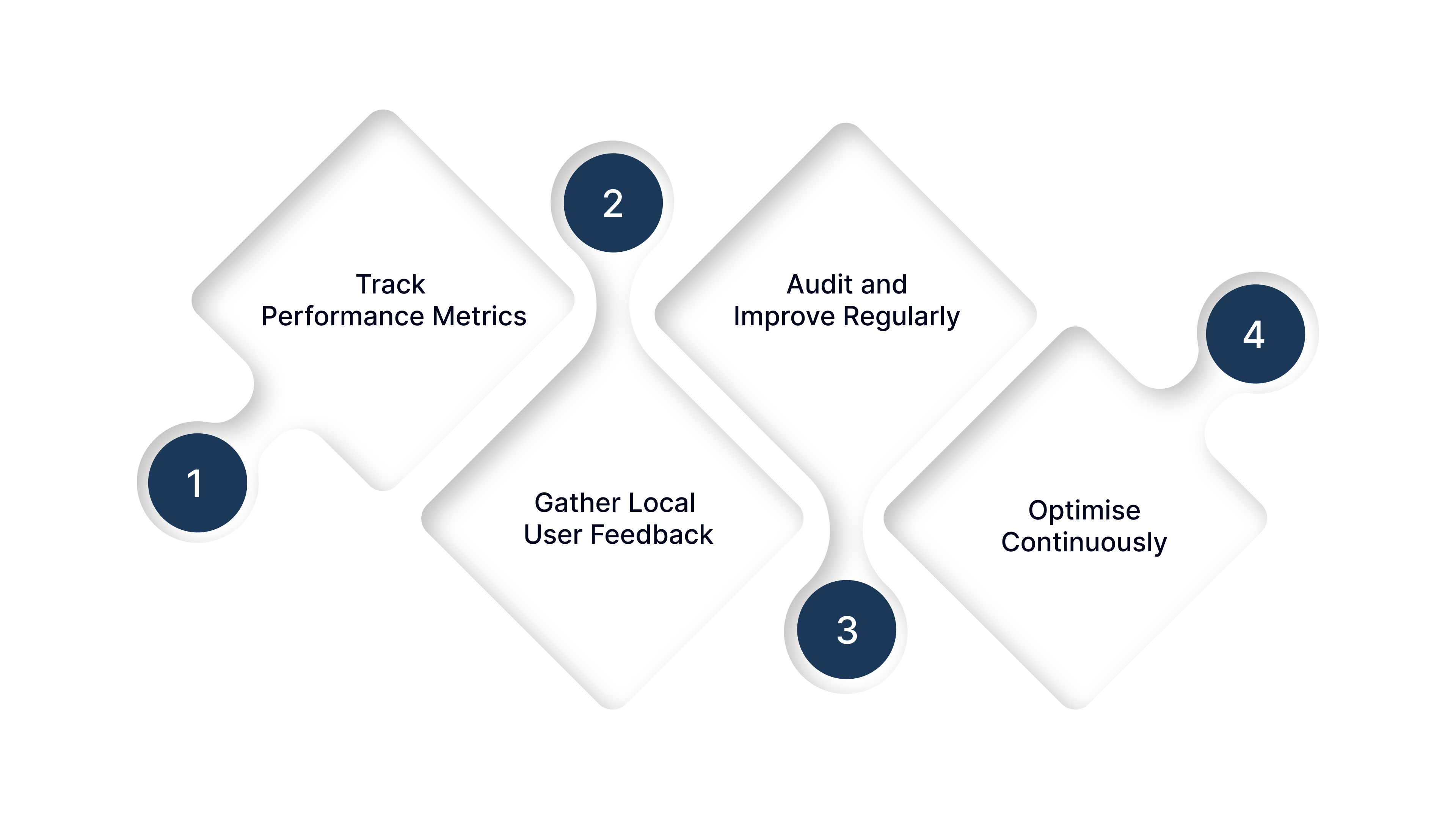
1. Track Performance Metrics
Monitor how localisation affects engagement and usability.
Key indicators:
- User retention by language.
- Conversion and completion rates.
- Bounce rate and time on page.
2. Gather Local User Feedback
Use surveys, reviews, or usability sessions to understand how users experience the localised interface.
Example: If users in one region abandon forms early, review tone, layout, or field labels for cultural clarity.
3. Audit and Improve Regularly
Schedule periodic audits to check translations, layout balance, and localisation accuracy. Refine language, icons, or design elements based on insights.
4. Optimise Continuously
Apply findings to improve both localisation and UX design. This ensures your product grows with your audience’s evolving preferences.
Conclusion
UI localisation helps your product connect authentically with users in every language and region. It transforms a standard interface into an inclusive experience that feels personal and trustworthy.
By planning early, using flexible design systems, and maintaining cultural awareness, you can create an interface that adapts effortlessly across markets.
Strong localisation is not a one-time effort but an ongoing practice that builds loyalty, accessibility, and global reach.
Tools like Anuvadak simplify this journey by combining automation, translation management, and secure workflows in one platform. It helps enterprises deliver consistent, culturally resonant experiences at scale.
When your interface speaks every user’s language, it does more than translate; it connects, includes, and inspires confidence.
FAQs
1. What is pseudolocalisation and why is it useful?
Pseudolocalisation alters your app’s text to simulate how different languages affect layout and design. It helps you find layout breaks, text overflow issues, and spacing problems before actual translation begins.
2. Do I need localisation if English is widely understood?
Not always, but relying on English alone can reduce usability in many markets. Localised UI increases clarity and reduces cognitive load, even for users who understand English as a second language.
3. Can localisation change UI functionality?
Yes. Some languages require UI adjustments, such as mirrored layouts for right-to-left scripts or different input methods for complex scripts.
4. Should shortcuts or keyboard commands be localised?
Not always. Some keyboard shortcuts work globally, but you should test if localised alternatives make sense in the target locale.
5. Why do some localisation errors still happen?
Errors can occur when translators lack UI context, or when internationalisation was not handled early in design. Providing context and early planning helps reduce those mistakes.

