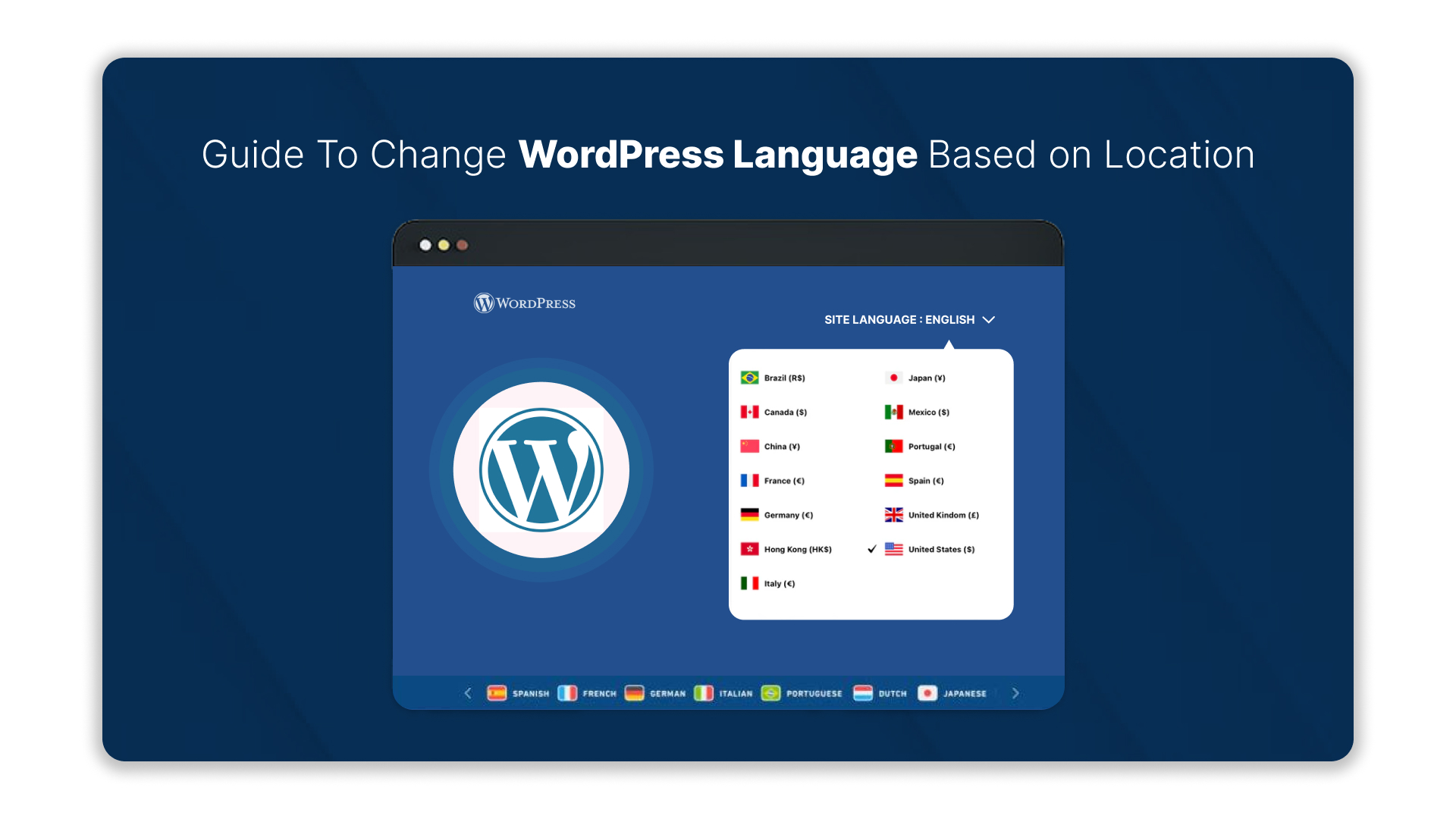
Browsing a website that shows content only in one language can feel frustrating, especially for 68% of Indian users who prefer their native tongue. In India, a significant portion of internet users expect websites to communicate in regional languages, and ignoring this can lead to lost engagement and trust before visitors even interact.
Small adjustments make a noticeable difference. Changing your WordPress site’s language based on location ensures visitors see content in Hindi, Tamil, Bengali, Telugu, or other local languages automatically, creating a smoother, more inclusive experience.
This guide explores change website language based on location wordpress and how businesses can implement location-based language changes in WordPress effectively, so every user feels welcome, understood, and able to navigate your site effortlessly.
Key Takeaways:
- Automatically show content in visitors’ regional language to improve user experience and engagement.
- Adapt tone, phrasing, visuals, dates, and currency for local relevance, not just literal translation.
- Use geolocation tools or plugins to serve the correct language reliably.
- Optimize for local SEO with hreflang tags, region-specific keywords, and proper redirects.
- Maintain consistency with automated updates, thorough testing, and platforms like Anuvadak for translation management.
Why Change Website Language Based on Location WordPress?
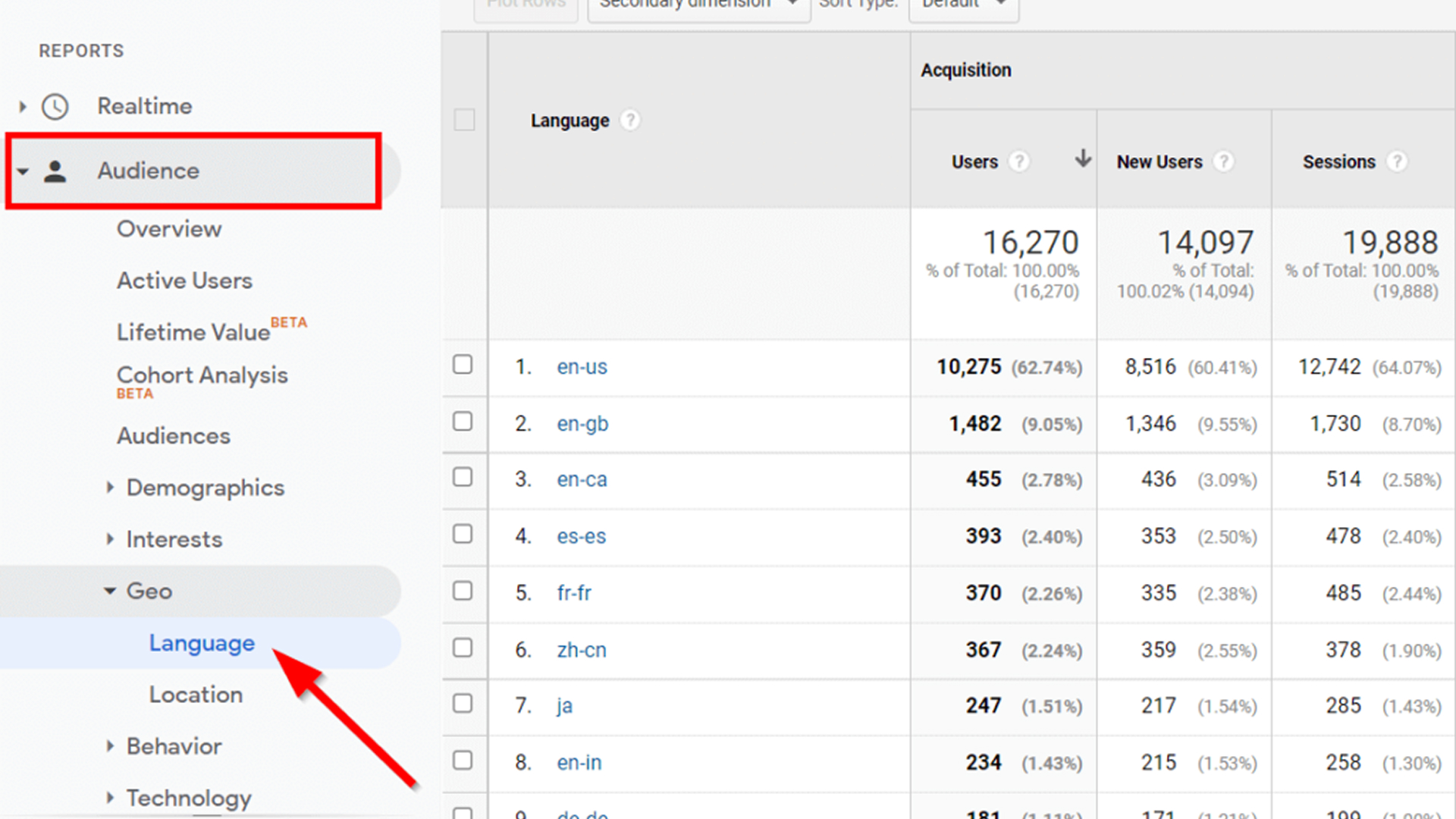
Changing your WordPress site’s language based on a visitor’s location isn’t just about swapping words; it’s about creating a website experience that feels natural, intuitive, and local. A clear strategy ensures your content displays correctly, navigation feels seamless, and interactions resonate with users in every region.
When executed properly, location-based language prevents confusion, mistranslations, and inconsistent experiences across devices and browsers. Keep these core principles in mind:
- Identify your audience: Focus on key regions where most visitors come from and prefer content in their native language. This ensures you reach users effectively in local markets.
- Translate with cultural context: Go beyond literal translations. Adapt tone, phrasing, and examples to reflect regional norms and preferences.
- Test user flows in each language: Verify menus, buttons, notifications, and forms display correctly without truncation or misalignment.
- Optimize for local SEO: Use hreflang tags, metadata, and region-specific keywords so search engines index your site properly for each language.
- Maintain consistency across updates: Keep translations and redirects aligned whenever new content or features are added.
With platforms like Anuvadak, you can manage translations, geolocation rules, and testing seamlessly making your WordPress site feel native to every visitor, no matter where they are.
How To Change WordPress Language Based on Location?
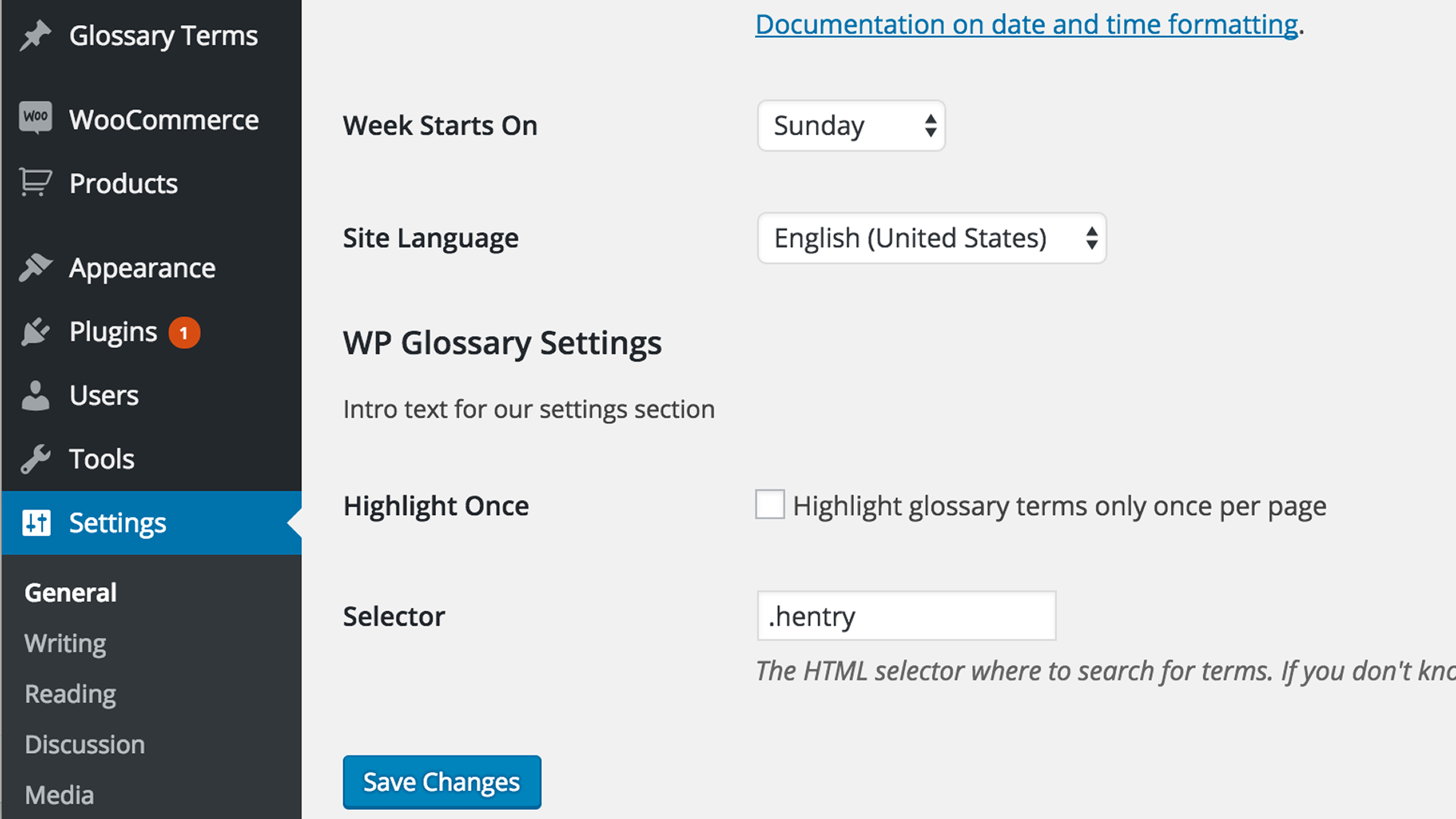
Visitors connect better when your website adapts to their language and region. Changing your WordPress site’s language based on location ensures content feels personal, relevant, and easy to navigate, helping users engage naturally without extra effort.
Let’s walk through how to set up change website language based on location WordPress effectively.
Step 1: Choose the Right Translation Plugin
Your multilingual journey begins with selecting a translation plugin that fits your needs. The right plugin ensures your content flows naturally in multiple languages, stays consistent, and integrates well with your website.
When choosing a plugin, keep these points in mind:
- Support multiple languages and dialects: Make sure your plugin can handle regional variations, not just global languages.
- Manual and automatic translations: Flexibility allows you to maintain quality and speed.
- Integrations with geolocation or redirection tools: This ensures accurate delivery to each visitor.
- SEO-friendly: Plugins like WPML, Polylang, and TranslatePress allow control over metadata and hreflang tags.
With the right plugin in place, it’s important to understand why relying only on browser language detection isn’t enough.
Also Read: The Ultimate Guide to SEO Translation and Localisation for Multilingual Websites
Step 2: Recognise the Limits of Browser Language Detection
Browser-based language detection seems convenient, but it often fails to show the correct language to every visitor. Users may share devices, or their browser preferences might not match their real location.
Keep these points in mind:
- Shared devices may show the wrong language to different users.
- Browser settings may not reflect the actual language preference.
- Search engines may index the wrong version, affecting local SEO.
To deliver accurate website localisation, a geolocation-based solution is far more reliable and precise.
Step 3: Select a Geolocation Plugin for True Location-Based Redirection
Geolocation plugins detect where your visitors are and serve the correct language automatically. This makes your website feel more relevant and tailored to each audience.
Some popular geolocation plugins include:
- Geotargeting WP: Provides accurate country-level redirection.
- IP2Location Redirection: Allows custom rules for multiple regions.
- GeoDirectory + WPML: Perfect for sites with multiple locations or branches.
Once your plugin is selected, the next step is installation and setup.
Step 4: Install and Configure Your Geolocation Plugin
Installing a plugin is simple, but proper configuration ensures that visitors always see content in their language.
Follow these steps:
- Install the plugin via your WordPress dashboard.
- Connect it to your translation plugin.
- Configure redirection rules for each country or region.
- Test thoroughly to ensure accurate language delivery.
After configuring the plugin, setting up proper redirect rules helps maintain consistency for every visitor.
Step 5: Set Up Redirect Rules for Each Language
Redirect rules ensure visitors are automatically shown the right language without manual selection. This not only improves user experience but also helps search engines index your multilingual content correctly.
Implement these strategies:
- Redirect visitors based on country or region.
- Create fallback rules for unknown locations.
- Use SEO-friendly 301 or 302 redirects to preserve ranking.
With redirects in place, deciding on a URL structure comes next to optimise both user experience and SEO.
Step 6: Decide on Your URL Structure
Your URL structure is a key factor for SEO and usability. A clear structure ensures that users and search engines understand your multilingual online store setup.
Options include:
- Subdirectories: example.com/fr/
- Subdomains: fr.example.com
- Separate domains: example.fr
Once your URL strategy is ready, testing your setup ensures every piece works as expected.
Step 7: Test and Troubleshoot Your Setup
Testing is essential to make sure your site delivers the right language to every visitor. Even minor errors can affect user experience and SEO performance.
Focus on:
- Checking redirects across multiple countries and devices.
- Verifying hreflang tags for correct indexing.
- Reviewing translation accuracy and page performance.
- Testing both desktop and mobile experiences.
Once testing is done, you can explore advanced customisation to make content even more relevant to local audiences.
Step 8: Consider Advanced Customisation
Advanced customisation allows you to tailor content based on location, improving engagement and trust.
Options include:
- Personalise content, offers, or promotions per region.
- Localise dates, currency, and measurement units.
- Adjust images or messaging to match cultural expectations.
Also Read: How Shopify Language Translation Apps Improve SEO and Increase Traffic
Step 9: Maintain and Update Regularly
Finally, Location-based language setups require continuous attention. Regular updates help keep translations accurate, redirects functional, and your SEO intact.
Maintain your site by:
- Updating translations as you publish new content.
- Monitoring analytics for traffic and engagement trends.
- Adjusting redirects as your audience or site evolves.
Following these steps consistently creates a seamless multilingual experience for your visitors.
With Anuvadak, managing WordPress languages based on location becomes effortless.
Their Translation and Geolocation APIs help you automate workflows, maintain accuracy, and deliver region-specific content, ensuring every visitor experiences your website in the right language, naturally and efficiently.
Challenges and Best practises for Changing WordPress Language Based on Location
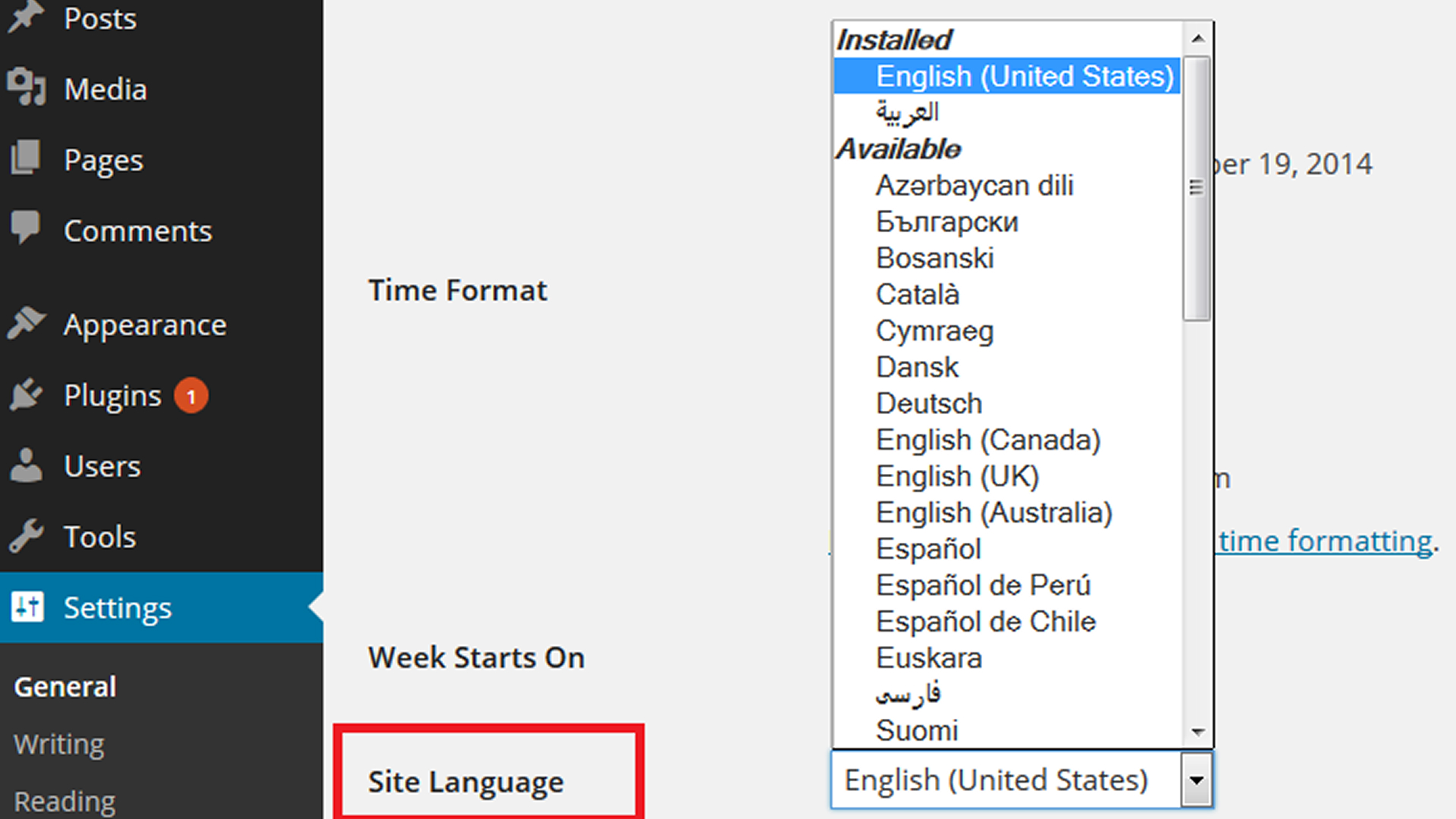
While location-based language enhances engagement and local SEO, it also comes with its own set of challenges.
Here’s an approach to tackle them effectively:
| Challenge | Best Practice |
| Text in images | Avoid embedding text in images; use editable layers or web fonts. |
| Layout issues | Use flexible designs that adjust to different languages and text lengths. |
| Updating content | Automate translations so new or edited posts sync across all languages. |
| Tone consistency | Regularly review translations for accuracy and cultural relevance. |
| Multilingual workflows | Use platforms like Anuvadak to manage updates and translation memory efficiently. |
By addressing these challenges with the right strategies, you can change WordPress language based on location seamlessly, offering visitors a website experience that feels natural, accurate, and locally relevant.
Anuvadak’s Solutions for Changing WordPress Language Based on Location
Managing multiple languages on WordPress sites often creates challenges, such as incomplete translations, inconsistent content across pages, or mismatched labels in different themes. Anuvadak addresses these issues directly with:
- Website & App Localisation: Ensures pages, posts, menus, and notifications remain consistent across languages, allowing visitors to navigate and interact without confusion.
- Translation API: Automatically generates regional-language content for WordPress pages, posts, and blogs, reducing delays and manual effort.
- Transliteration API: Converts content between scripts (e.g., Hindi, Tamil, Kannada), making it readable for audiences unfamiliar with the Latin alphabet.
- Speech-to-Text & Text-to-Speech APIs: Add voice navigation, audio instructions, or accessible content for users with low literacy or special accessibility needs.
- Scalability & Security: Supports multiple WordPress sites, regions, and languages while protecting sensitive user data and content integrity.
- Cultural Accuracy & UX Alignment: Ensures translations respect local customs, date/currency formats, and layout conventions, preventing confusion or drop-offs.
Once your WordPress site is fully localised and language redirection is set, it’s crucial to test every version to ensure seamless user experience and flawless functionality before going live.
Conclusion
To truly engage a diverse audience, simply translating your WordPress site isn’t enough. Learning how to change WordPress language based on location ensures your content matches regional preferences, improves user experience, and improves local SEO.
Solutions like Anuvadak make this process seamless by centralising translation management, supporting geolocation-based language switching, and keeping content consistent across multiple languages, all while maintaining security and scalability.
For guidance on how to change WordPress language based on location effectively or to explore how Anuvadak can simplify your multilingual workflows, connect with us today..
FAQs
1. How does changing website language by location improve user experience?
Automatically showing content in a visitor’s regional language reduces confusion, keeps users engaged, and encourages longer site visits.
2. Do I need geolocation for small or niche audiences?
Yes. Even a small regional audience interacts better when content feels local, improving trust and engagement.
3. Can location-based language impact local SEO?
Absolutely. Using region-specific keywords, hreflang tags, and translated content helps your site rank higher in local search results.
4. How long does it take to implement location-based language in WordPress?
Implementation varies by content size and number of languages, but tools like Anuvadak simplify translation, redirects, and consistency checks for faster deployment.
5. Is changing website language only about translating text?
No. It also involves adapting visuals, date formats, currencies, navigation, and UX to meet local expectations and cultural norms.

