For businesses expanding into international markets, language is often the first barrier to user engagement. Whether you’re in SaaS, e-commerce, or enterprise services, users expect websites to feel local, accessible, and easy to navigate in their own language. That’s where browser-based website translation can help.
Instead of relying on complex backend integrations or external platforms, browser-based translation allows teams to translate web content instantly and securely, right within the browser. For CTOs, Product Managers, and Marketing Heads, this approach simplifies multilingual rollout, improves user experience, and helps test new markets faster without overhauling existing systems.
In this blog, we’ll walk through different website translation approaches, show how private local browser-based website translating solutions work, and explore tools that make localisation more efficient and scalable.
Key Takeaways
- Browser-based translation tools such as Google Translate and Microsoft Translator offer simple, local solutions for translating websites, ideal for eCommerce and Government services.
- Human translation ensures accuracy and cultural relevance, making it important for Healthcare and Legal & Compliance industries that need precise and legally compliant content.
- Automated translation with Neural Machine Translation (NMT) is a cost-effective solution for BFSI and eCommerce platforms, providing quick and scalable content translations.
- Implementing Translation Management Systems (TMS) helps manage workflows and consistency, particularly for large-scale websites, making it beneficial for industries like eLearning and Manufacturing.
- Integrating multilingual APIs and post-editing improves translation accuracy while automating the process, offering businesses an efficient solution for Healthcare, eCommerce, and Government digital services.
6 Steps To Make Your Website Multilingual
Making your website multilingual goes beyond just translating text; it’s about adapting your content to resonate with different cultures. Here’s a step-by-step guide to creating a multilingual website:
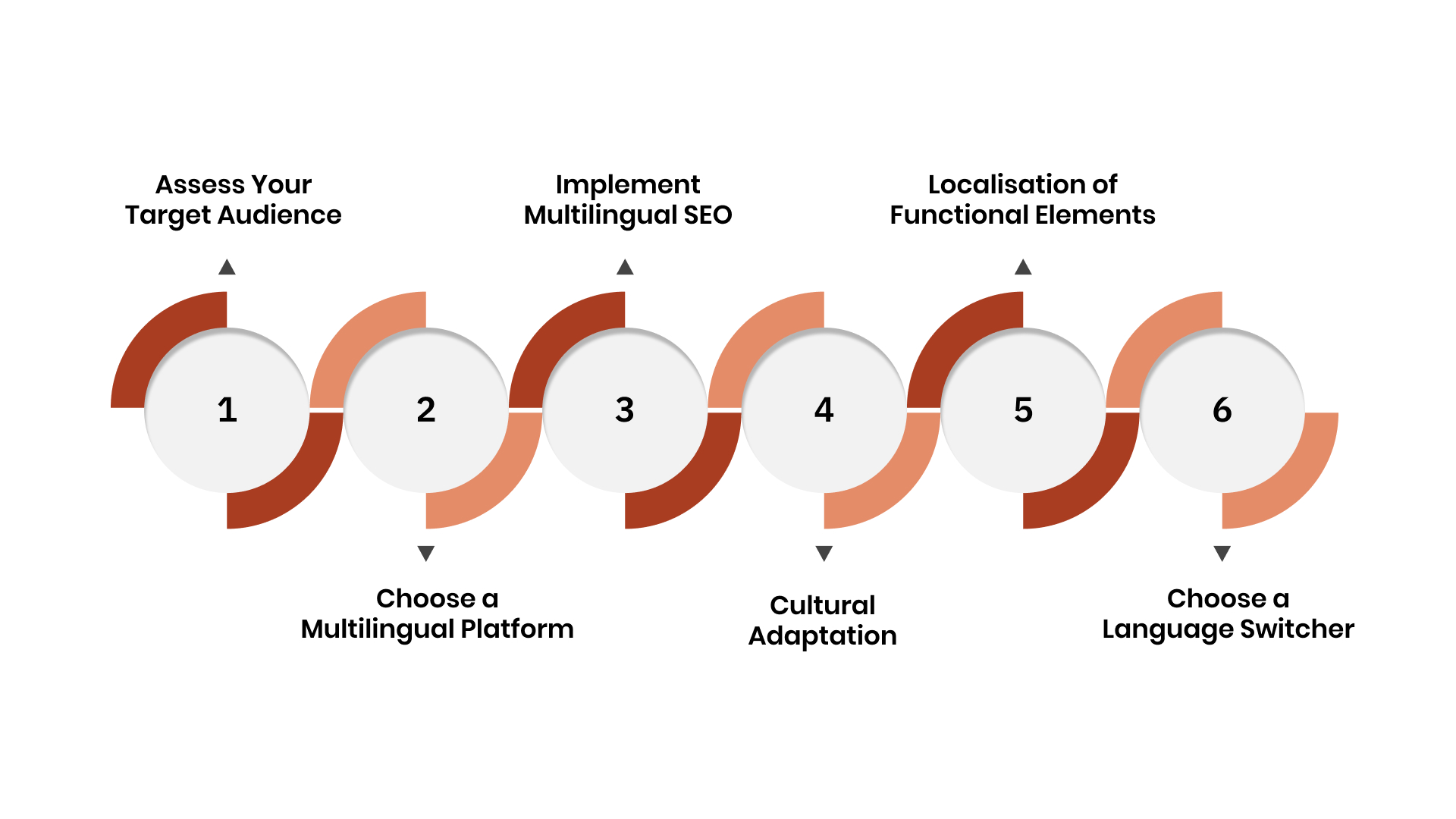
1. Assess Your Target Audience
Identify which languages will benefit your business. Understand the dialects, cultural nuances, and regional preferences of your target markets. This is vital for industries like BFSI and eCommerce, where understanding local language needs is key to user engagement and compliance.
2. Choose a Multilingual Platform or Plugin
Depending on your CMS, select a plugin or platform that supports multilingual content. Popular tools include WPML, Polylang, and TranslatePress for WordPress. These platforms also integrate with multilingual APIs to streamline the localisation of websites and apps for enterprises.
3. Implement Multilingual SEO
Ensure search engines index your translated pages. Use hreflang tags to signal the language of each page, which improves your local SEO rankings. This helps your website rank across various regions.
4. Cultural Adaptation
Beyond translation, adjust content for cultural relevance. This includes modifying images, colours, and references that might not translate well culturally. Localisation tools help ensure that your content resonates with local markets in industries like Automotive and Legal & Compliance.
5. Localisation of Functional Elements
Don’t forget to adapt functional elements such as dates, currencies, and measurements. For eLearning and eCommerce, localised formats ensure better user experience and regional market penetration.
6. Choose a Language Switcher
Add an intuitive language switcher to your website, allowing users to select their preferred language. This is particularly important for industries like Telehealth, where seamless multilingual interaction is vital for patient engagement and service delivery.
Also Read: What is Language Translation and How Does It Work
Next, let’s explore why translating your website is essential for global engagement.
Why You May Need To Translate a Website
Website translation is essential for reaching global markets and for enhancing customer experience. Here’s why businesses need to translate their websites:
1. Expand Market Reach: Translating your website opens doors to international markets. Clear communication in the local language helps businesses like BFSI and eCommerce foster brand loyalty and improve customer satisfaction.
2. Enhance User Experience: Offering content in your customers’ native language significantly improves engagement.
3. Boost SEO: A multilingual website increases your chances of ranking higher in local search results. For sectors like eCommerce and Legal & Compliance, this drives organic traffic and improves visibility in diverse markets.
4. Ensure Regulatory Compliance: For industries like BFSI, Healthcare, and Government, translating content ensures compliance with local laws and regulations. Accurate translation helps meet industry-specific requirements such as HIPAA and GDPR.
5. Improve Customer Support: Translating web content enhances customer support by allowing businesses to offer multilingual help. For Telehealth and eCommerce platforms, clear communication in multiple languages helps strengthen customer relationships.
Well, now that we understand the need, let’s look into the different approaches for translating your website.
3 Key Approaches to Translating a Website
When translating a website, businesses can choose from several approaches depending on their needs, resources, and scale. Let’s explore three key approaches to website translation, each with distinct pros and cons.
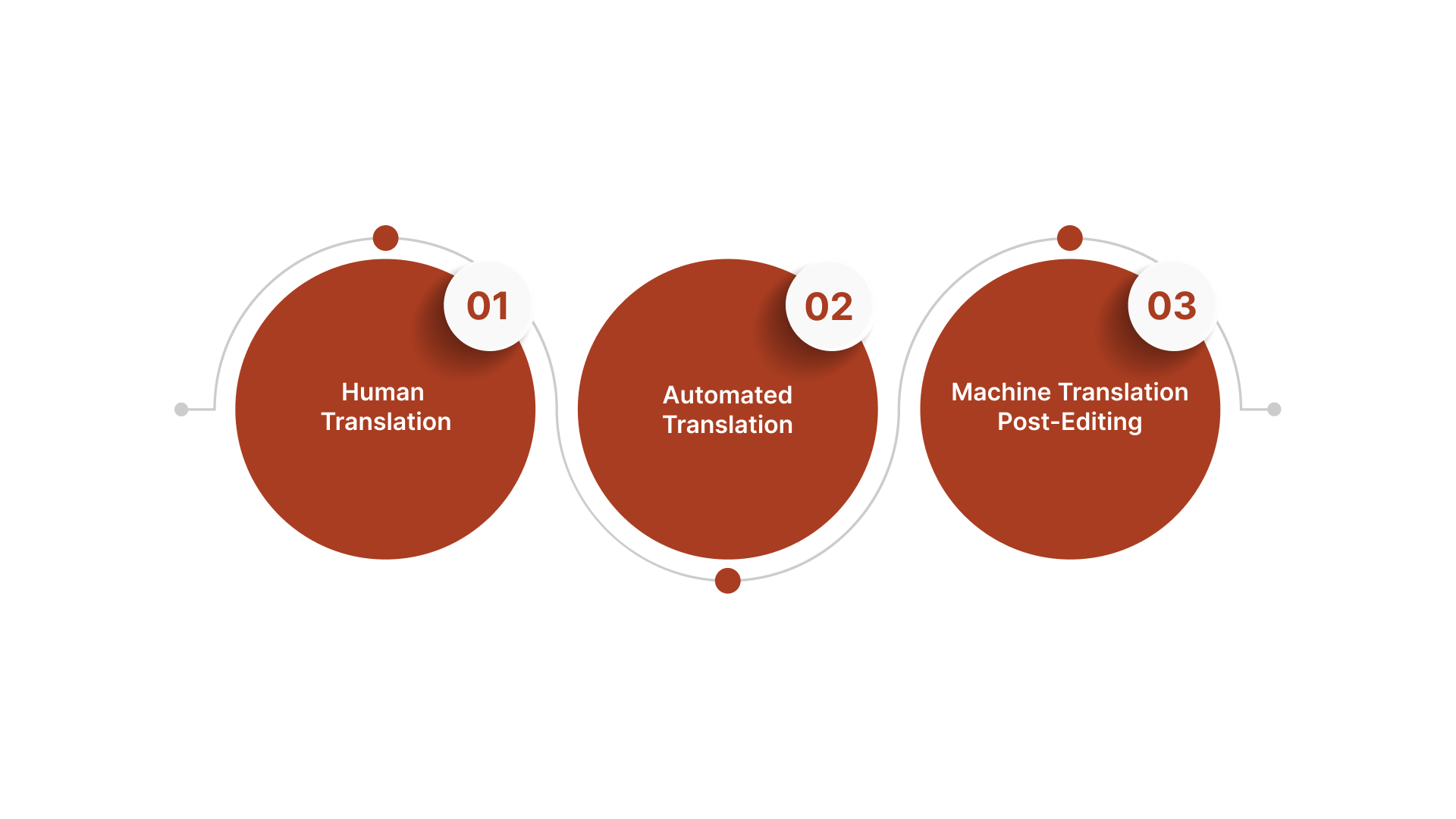
1. Human Translation
Human translation involves professional translators who accurately interpret the meaning and context of content. This method is critical for industries like Legal & Compliance and Healthcare, where accuracy and cultural sensitivity are essential.
Pros:
- High-quality translations with attention to cultural nuances, ideal for BFSI and Healthcare sectors where regulatory accuracy is key.
- Capable of handling complex content, ensuring clear communication.
- Essential for maintaining compliance in regulated industries, such as Telehealth or eLearning platforms.
Cons:
- Expensive, especially for large-scale translations.
- Time-consuming due to the need for skilled human resources.
- Risk of inconsistency in tone if not carefully managed across different translators.
2. Automated Translation
Automated translation uses machine algorithms to translate content quickly. Services like Google Translate or Microsoft Translator integrate easily into websites, making them accessible in multiple languages at scale. This is particularly useful for eCommerce and Government Digital Services.
Types of Automated Translation Tools:
- Neural Machine Translations (NMT): Uses deep learning to generate more fluent translations, enhancing the quality of automated translations.
- Translation Management Systems (TMS): Helps automate and manage translation workflows for large teams, especially useful for eCommerce and Government websites.
- Rule-Based Machine Translation (RBMT): Utilises predefined rules for translation but may struggle with idiomatic expressions, impacting Healthcare or Legal documents.
- Translation Memory (TM): Reuses previously translated segments, reducing redundancy and cost, making it ideal for Manufacturing and eCommerce industries.
Pros:
- Quick and cost-effective for translating large volumes of content.
- Reduces operational costs by eliminating the need for human resources.
- A scalable solution for businesses aiming to reach a multilingual audience, ideal for BFSI or eCommerce platforms.
Cons:
- Less accurate, with potential for awkward or incorrect translations.
- Lacks cultural context, leading to possible misunderstandings in diverse markets.
- Requires post-editing to refine translations, especially in Legal and Compliance contexts.
3. Machine Translation Post-Editing (MTPE)
MTPE combines automated translation with human editing. This hybrid approach uses the speed of machine translation while ensuring higher quality and accuracy through human intervention.
Pros:
- Balances speed and quality, making it suitable for industries like BFSI and Legal, where accuracy is critical.
- Cost-effective compared to full human translation, suitable for large-scale content.
- Enables rapid content translation with higher accuracy than pure automated tools.
Cons:
- Still requires human input, adding additional costs.
- May not be suitable for content requiring high precision, such as Legal or Healthcare documentation.
- Potential delays in the process due to the need for both machine translation and human post-editing, affecting time-sensitive projects.
Also Read: Top 10 Computer-Assisted Translation Tools for Professionals
Moving forward, we’ll look at how you can easily translate a web page in your browser.
How to Translate a Web Page in Your Browser
Private local browser-based website translating is an easy way to access content in different languages without needing to leave your site. Below are methods for translating web pages in the most common browsers.
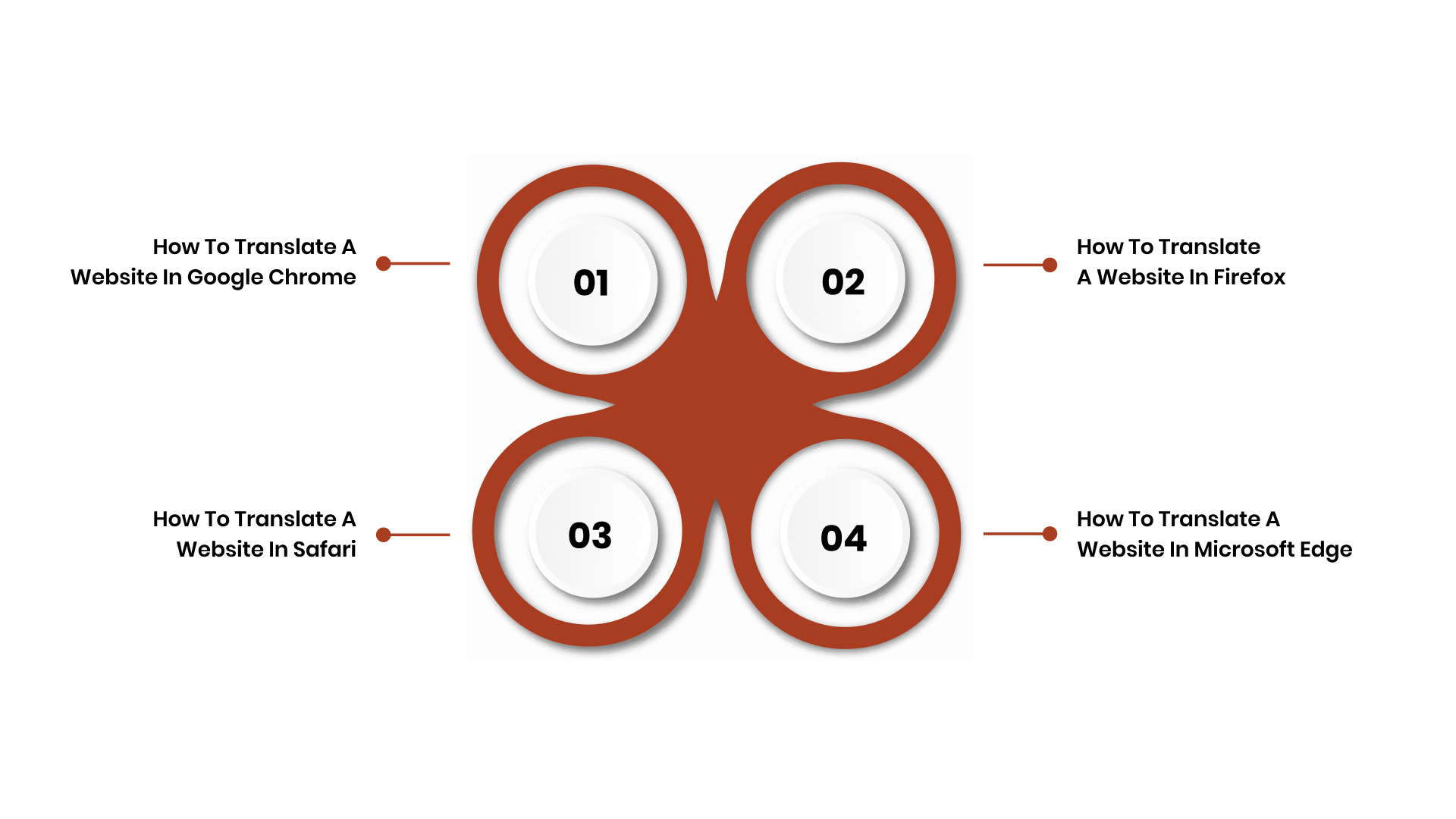
1. How To Translate a Website in Google Chrome
Google Chrome offers a built-in translation tool that automatically detects and translates foreign-language websites, making it easy for businesses to access multilingual content. Here’s how you can use it:
Steps:
- Open Google Chrome and navigate to the webpage you want to translate.
- Chrome will automatically detect the foreign language and prompt you to translate it.
- If the prompt doesn’t appear, right-click anywhere on the page.
- Select “Translate to [language]” from the menu.
- The page will instantly be translated into your selected language.
2. How To Translate a Website in Firefox
Firefox users can rely on the Google Translate extension to easily translate web pages into their preferred language. This tool is particularly beneficial for businesses in BFSI and eCommerce, where multilingual customer service is essential.
Steps:
- Install the Google Translate extension from the Firefox Add-ons store.
- Once installed, visit the web page you want to translate.
- Click on the Google Translate icon in the toolbar.
- Select “Translate this page” from the dropdown.
- The page will be translated into your preferred language.
3. How To Translate a Website in Safari
In Safari, Apple offers a built-in Translate feature that can instantly translate web pages. This is especially useful for industries like Healthcare and Education, where clear communication in multiple languages is necessary for user engagement.
Steps:
- Open the webpage you want to translate in Safari.
- Safari will automatically detect if the page is in a different language.
- Tap the Translate button in the address bar.
- Select the language you want to translate the page into.
- The page will be translated and displayed in your selected language.
4. How To Translate a Website in Microsoft Edge
Microsoft Edge supports built-in translation using Microsoft Translator, which provides a seamless experience for translating web pages in various languages. This feature is particularly helpful for Product Managers and Localisation Managers who need to ensure content accessibility across markets.
Steps:
- Open Microsoft Edge and navigate to a foreign language website.
- When the page is in a different language, a pop-up will appear asking if you want to translate the page.
- Click on “Translate” in the pop-up.
- Select the language you want the page to be translated into.
- The page will automatically be translated to your preferred language.
With Anuvadak, you can automate translations and effortlessly manage multilingual content, ensuring it resonates with diverse audiences. Scale your localisation processes seamlessly, enhancing user experiences across industries like eCommerce, BFSI, and Healthcare.
Now, let’s turn to how you can translate a website directly on your mobile device.
How To Translate a Website on a Mobile Device
Translating websites on mobile devices ensures seamless access to content in different languages while on the go. This method is essential for industries like eLearning, Healthcare, and Government, where accessibility and communication across languages are key to engagement.
1. How to Translate a Website on an iPhone
For iPhone users, Safari provides an easy way to translate web pages with the built-in Apple Translate feature. This is especially useful for eCommerce platforms that need to provide product information in multiple languages.
Steps:
- Open Safari and visit the webpage you wish to translate.
- When the webpage is in a foreign language, tap the Translate button in the address bar.
- Select your desired language.
- The page will instantly be translated into your chosen language.
2. How to Translate a Website on Android
On Android devices, Google Chrome is the most popular browser, and it provides automatic translation for foreign language websites. This is vital for BFSI, Healthcare, and Legal & Compliance industries, where multilingual communication is key to ensuring accessibility.
Steps:
- Open Google Chrome on your Android device and navigate to the foreign website.
- Chrome will automatically prompt you with a translation bar at the bottom.
- Tap “Translate” to convert the content into your preferred language.
- The page will be translated in real-time for easier browsing.
Also Read: how to translate a web page to kannada
Next, we’ll clarify the key differences between translation and localisation.
Distinguishing Between Translation and Localisation
Translation converts text from one language to another, while localisation adapts content to align with local culture, regulations, and technical preferences. Below are the key differences between translation and localisation.
| Aspect | Translation | Localisation |
| Cultural Context | Translates words and phrases. | Adapts content to resonate with local cultural norms. |
| Technical Considerations | Focuses on language accuracy. | Adjusts units of measure, time formats, and other regional technical elements. |
| Design | Translates text only. | Modifies layout, fonts, and imagery for local appeal. |
| Functionality | Converts words into another language. | Ensures functional elements meet regional expectations. |
| User Experience (UX) | Focuses on language conversion. | Alters content and design to enhance user engagement for local audiences. |
| Date, Time, and Currency | Translates terms related to dates, times, and currencies. | Adapts formats to local conventions, like currency symbols, time zones, and date formats. |
| Language Variety | Uses standard language. | Uses local dialects and regional nuances to ensure authentic communication. |
Now that we’ve distinguished the two, let’s look at the best practices for translating websites in your browser.
5 Best Practices for Browser-Based Website Translation Setup
When translating a website locally, it’s important to take several factors into account to ensure the translation is effective and relevant for your target audience. Below are the best practices for a private local browser-based website translating setup.
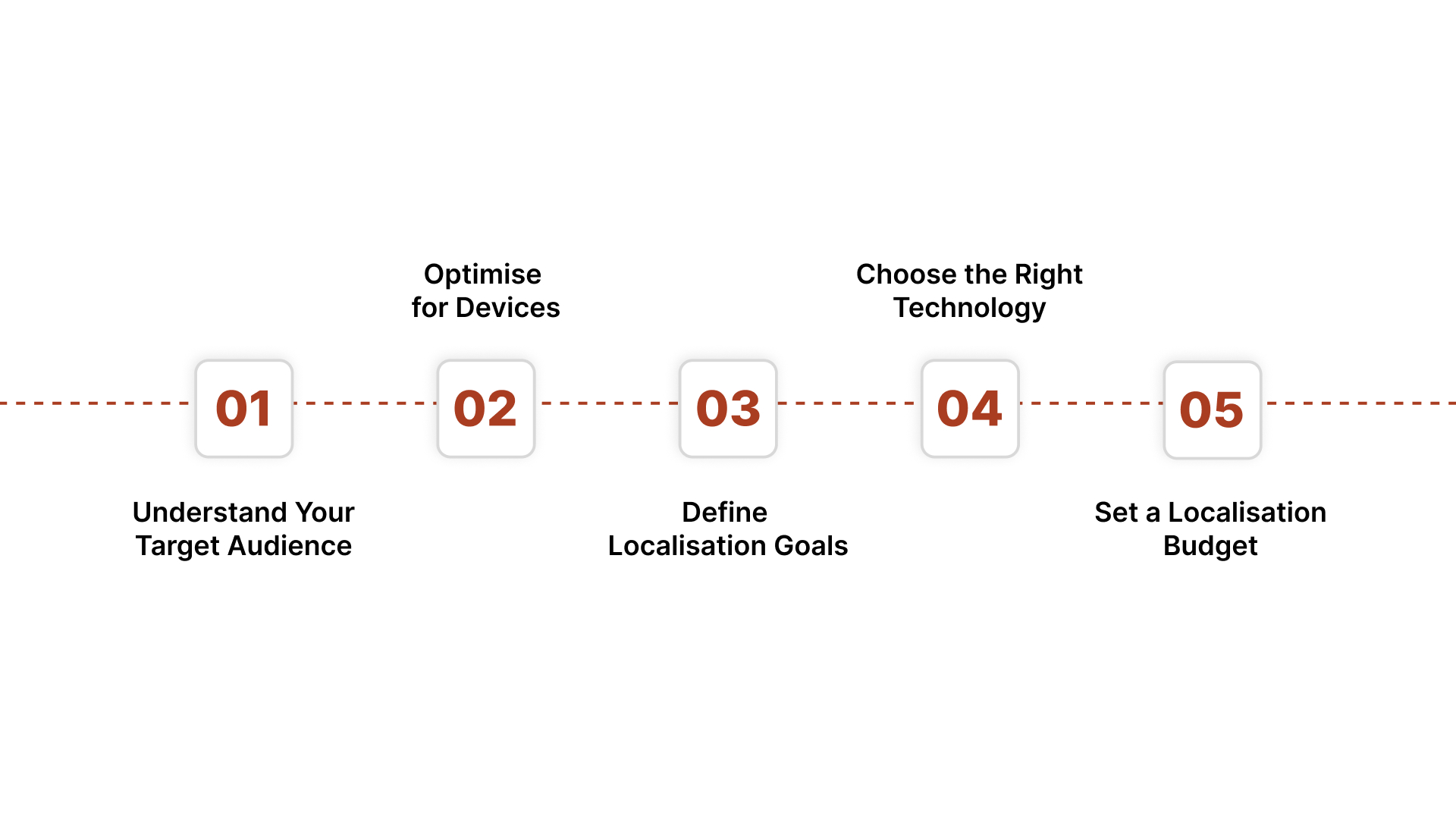
1. Understand Your Target Audience: Understand the languages your audience is comfortable with. Identify the regional preferences and dialects of your customers in various markets, be it for eCommerce platforms or telehealth services.
2. Optimise for Devices: Determine what devices your audience primarily uses (desktop or mobile). Websites should be optimised for both mobile and desktop browsers to ensure seamless access across all platforms, especially for Government Digital Services and BFSI sectors.
3. Define Localisation Goals: Prioritise the content that is most critical for your local markets. Be it legal documents in the Legal & Compliance industry or product listings in eCommerce, make sure to focus on the most relevant content for each region.
4. Choose the Right Technology: Choose the appropriate translation tools, be it Google Translate, Neural Machine Translation (NMT), or a custom translation tool. These tools, integrated with multilingual APIs, help businesses streamline translation processes, especially for large-scale websites.
5. Set a Localisation Budget: Consider your available resources for localisation. Determine if you want to rely on automated translation tools or human translation to balance cost and quality, particularly important for industries like Healthcare, where accuracy is paramount.
Also Read: Challenges and Best Practices in Technical Translation
Let’s take a closer look at the key components of a translation management system.
14 Key Components of a Translation Management System
A robust Translation Management System (TMS) is essential for enterprises looking to streamline their translation and localisation efforts. Below are key components of a TMS to help ensure your content is consistently translated and localised across multiple languages.
1. Computer-assisted Translation (CAT) Tools: These tools, like Translation Memory and Term Bases, store and reuse previously translated content, ensuring consistency across large volumes of text. This is essential for eCommerce websites and Manufacturing manuals that require precise and consistent language.
2. AI-powered Machine Translation: Advanced machine translation capabilities, such as Neural Machine Translation (NMT), accelerate the translation process while maintaining high accuracy. This is useful for large-scale projects where speed is essential, such as for Healthcare portals or BFSI services.
3. Project Management Features: These features streamline the workflow for managing translation projects. With real-time collaboration capabilities, teams can work together efficiently, ensuring consistency and quality across languages. This is particularly useful for Product Managers or Localisation Managers managing global projects.
4. Workflow Automation Solutions: Automation tools help streamline the translation process, reducing manual intervention and speeding up time to market.
5. Native Integrations: TMS solutions often integrate directly with your Content Management System (CMS), such as WordPress or Shopify. This ensures seamless translation and localisation, enabling enterprises to maintain consistency across all their web pages, product listings, and other content.
6. Advanced Reports and Analytics: These features provide insights into the translation process, helping businesses track quality, identify bottlenecks, and ensure deadlines are met. This is particularly valuable for Compliance Officers and CX Leaders, ensuring accuracy in translations.
7. The Possibility to Upload and Manage Glossaries: Glossaries ensure consistent terminology across all translated content, which is crucial for sectors like Legal & Compliance and Healthcare, where precise language is essential.
8. Quality Assurance (QA) Features: These tools perform automatic checks to identify errors in translations, such as missing content, incorrect formatting, or discrepancies in terminology. This helps maintain high-quality translations and supports compliance with industry standards.
9. Content Management Systems (CMS): Integrating translation management tools with your CMS ensures seamless synchronisation of content across multiple languages.
10. Storage Services (e.g., Dropbox, Google Drive, FTP): These services allow easy access to translation files, ensuring efficient storage and retrieval of content. For eCommerce businesses or Healthcare platforms, this enables secure management of large datasets in multiple languages.
11. Source Code Repositories: For technical websites or apps, integration with source code repositories like GitHub helps ensure that translation updates are synchronised with code changes. This is essential for industries such as Automotive & Manufacturing that frequently update product documentation.
12. Documentation Services: Translation management systems should integrate with documentation services to streamline the translation of technical documents, manuals, and guides. This is necessary for industries like Manufacturing and Legal & Compliance that require accurate, localised documentation for international markets.
13. Design Software: Localisation of design elements, such as images, layout, and typography, is crucial for effective user engagement. Integrating design software allows translators and designers to collaborate seamlessly, ensuring that localised content is displayed correctly across all devices.
14. Third-Party Services: Integration with third-party services, such as Translation APIs and speech-to-text tools, enhances the translation and localisation process. For industries like eLearning or Healthcare, this integration ensures seamless communication in multiple languages across platforms.
Also Read: Top 4 Best GTranslate Alternatives
Moving on, we’ll talk about how Anuvadak makes website localisation effortless.
Achieve Effortless Website Localisation with Anuvadak
For organisations managing multilingual websites, localisation should not add operational overhead. Anuvadak makes website localisation easier by assisting companies in effectively communicating across the linguistic diversity of India. It enables consistent, accurate content delivery in multiple Indian languages without disrupting existing workflows.
Here’s why Anuvadak stands out:
- Website & App Localisation: Automates translation and management of multilingual websites and apps, ensuring accuracy and cultural relevance for global reach.
- Smooth Integration with CMS Systems: Easily integrates with existing content management systems, simplifying localisation workflows for eCommerce and BFSI websites.
- Context-Aware Translation Memory & Glossary Control: Retain brand consistency and accuracy across multiple languages with AI-driven translation memory, ideal for industries like Healthcare and Legal.
- Real-Time Multilingual APIs: Provides Translation, Transliteration, Speech-to-Text, and Text-to-Speech APIs to enable seamless multilingual communication across web and mobile applications.
- Scalable & Secure Architecture: Enterprise-grade deployment with end-to-end encryption and cloud scalability to support large-scale localisation operations, meeting the demands of eCommerce and BFSI platforms.
- Operational Efficiency: Centralised management of translations and content updates reduces turnaround times and dependency on manual interventions.
- Cultural Accuracy: AI-based translation ensures that your content resonates with regional languages, supporting diverse cultural preferences for a better user experience.
- Accessibility & Inclusion: Supports voice assistants, IVR systems, and accessibility tools for differently-abled users, making digital platforms inclusive.
- Enterprise Security & Compliance: Meets enterprise security standards and complies with data protection regulations, ensuring safe and secure localisation processes for BFSI and Government.
Also Read: Challenges in App Translation and How to Overcome Them
With Anuvadak, you can simplify and scale your website localisation, ensuring a smooth and consistent experience for your global audience.
Conclusion
Browser-based website translation makes it easier to manage multilingual content and offers a scalable, efficient solution for enterprises looking to expand globally. If you use human translation, automated machine translation, or MTPE, each approach has its benefits and limitations. By selecting the right tools and strategies, you can ensure that your website is accessible, user-friendly, and culturally appropriate for a diverse, global audience.
Anuvadak offers powerful real-time translation APIs, enabling you to automate content translation workflows for consistent, localized content delivery across regions. With enterprise-grade security and seamless integration, our solution ensures your website reaches a global audience while maintaining accuracy and cultural relevance.
Contact us to explore how Anuvadak helps you with your global reach with AI-powered translation and multilingual automation.
FAQs
1. How can I ensure translation accuracy for legal content on my website?
For Legal & Compliance, use human translation or machine translation post-editing (MTPE) to ensure precision and adherence to regulations, reducing legal risks.
2. What’s the best translation tool for multilingual BFSI platforms with high-volume content?
For BFSI, Neural Machine Translation (NMT) integrated with a Translation Management System (TMS) ensures speed, scalability, and consistency for large, complex content.
3. How can I integrate multilingual APIs into my eCommerce website?
eCommerce sites can integrate multilingual APIs like Google Translate API for automatic content translation, ensuring seamless localisation of product listings and customer service.
4. What are the best practices for managing multilingual content in Healthcare platforms?
For Healthcare, ensure accurate, culturally appropriate translation through human translators or TMS with quality assurance (QA) tools to meet regulatory standards.
5. Can I automate website translation while maintaining high-quality content?
Yes, use Neural Machine Translation (NMT) combined with MTPE to automate translations while ensuring high-quality content for scalability, accuracy, and localisation, especially in BFSI.

