India’s internet isn’t built around one language. Most users browse, shop, or pay bills in their regional tongue, whether that’s Hindi, Tamil, Bengali, or Marathi, often switching between scripts or using voice commands instead of typing.
A 2024 report found that over 68% of Indian internet users prefer content in their native language, and this preference continues to grow annually. For React developers, this isn’t just a content issue; it’s a product reality. Apps must support multiple scripts, local fonts, and voice input without compromising layout or performance.
This guide explains how to implement enterprise-grade localisation in React.js, covering multi-script support, transliteration, and scalable workflows.
At a Glance:
- Library Choice: Choose the right React localisation library based on your app type. React-i18next for dynamic SPAs, React-Intl for ICU-compliant content, Next-Intl for Next.js projects.
- Project Structure: Organise translation files by feature or route, use meaningful keys, and maintain a single source of truth for terms to ensure consistency.
- Performance Optimisation: Lazy-load locale files, use dynamic imports, cache at the edge/CDN, and avoid bundling all languages upfront to keep apps fast and responsive.
- Indian Language Handling: Support multi-byte scripts, transliteration, and locale-specific pluralisation. Test typography, directionality (RTL), and input normalisation for accuracy and accessibility.
- Enterprise Workflows: Integrate TMS, CI/CD pipelines, and translation memory for seamless updates, version control, and scalable localisation management.
- Scalability with Anuvadak: Use Anuvadak to centralise translations, access multilingual APIs, automate workflows, and efficiently scale content across Indian languages while maintaining security and consistency.
- Security & Compliance: Follow best practises for authentication, authorisation, encryption, data privacy, and accessibility to ensure enterprise-grade localisation reliability.
Choosing the Right Library: React-i18next vs React-Intl vs Next-Intl
Building multilingual React applications begins with the right foundation. The choice of localisation library determines not just how translations are managed, but how efficiently your app handles context, pluralisation, and performance at scale.
React’s ecosystem offers several mature options, each built around a distinct philosophy: flexibility, linguistic precision, or framework-level integration.
The table below outlines their key differences.
| Feature / Focus | React-i18next | React-Intl (FormatJS) | Next-Intl |
|---|---|---|---|
| Best For | Large, dynamic SPAs needing runtime flexibility | Apps needing strict ICU message formatting | Next.js projects needing integrated i18n |
| Core Strength | Modular, plugin-driven ecosystem | ICU-based formatting for dates, plurals, selects | Lightweight, locale-aware routing |
| ICU Message Syntax | Optional via plugin (i18next-icu) |
Native support | Native (simplified) |
| Pluralization Rules | Customisable; basic by default | Advanced (ICU standard) | Standard per locale |
| Lazy Loading | Yes, built-in | Manual setup | Built-in for Next.js pages |
| Server-Side Rendering (SSR) | Supported via helpers | Supported manually | Native for App Router |
| TypeScript Support | Good, with config | Solid, less inferred types | Excellent, with typed keys |
| TMS / Translation Memory Integration | Strong (Locize, Phrase, etc.) | Moderate (via extraction tools) | Manual JSON management |
| Performance | Medium – depends on setup | Lean core | Very light runtime |
| Indian Language Fit | Add ICU plugin for richer plural forms | Excellent out-of-the-box ICU | Handles standard plural sets well |
| Ideal Use Case | Enterprise-scale dashboards and SPAs | Content-heavy, grammar-sensitive apps | Modern Next.js sites and landing pages |
To help you make an informed choice, here’s a clear breakdown of the pros and cons of the leading React localisation libraries.
Pros and Cons of Top React Localisation Libraries
Choosing the right React localisation library requires balancing performance, features, and support for Indian languages. The table below highlights the key pros and cons of the top options.
| Library | Pros | Cons |
|---|---|---|
| React-i18next | Flexible runtime, strong TMS/translation memory support, scalable for enterprise SPAs | ICU support requires a plugin, slightly heavier runtime |
| React-Intl (FormatJS) | Out-of-the-box ICU support, excellent pluralisation, consistent date/number formatting | Less flexible for dynamic feature splitting, steeper learning curve |
| Next-Intl | Lightweight, perfect for Next.js routing, typed translation keys | Requires Next.js, manual translation management for large projects |
Quick Takeaway:
- Use React-i18next when you need flexibility, namespaces, and enterprise-grade scalability.
- Choose React-Intl for precise, ICU-compliant translations across diverse scripts.
- Pick Next-Intl for performance-oriented, locale-aware routing in modern Next.js builds.
Also Read: What is the Importance of Translation in Business Expansion?
Once the right library is in place, the next step is structuring translations efficiently within your React codebase.
Core Implementation Patterns in React
A strong localisation strategy in React is driven by predictable structure, efficient runtime loading, precise formatting rules, and a pipeline that preserves linguistic quality. Below are the best practices for managing translations, optimising performance, and handling formatting and pluralisation for Indian languages.
1. Project Structure & Translation File Organisation

Keep translation files small, discoverable, and aligned to the app’s logical surface rather than to ad-hoc phrases. Common, proven patterns:
- Directory By Feature / Route (recommended):
locales/{locale}/{feature}.json— e.g.,locales/hi/homepage.json,locales/hi/checkout.json. This keeps bundles small and maps directly to code-splitting boundaries. - Use Meaningful Keys, Not Sentence Fragments:
Keys should identify purpose and location (checkout.payment.button_submit) rather than assembling sentences from words. This avoids grammatical and ordering errors in other languages. - Single Source of Truth for Terms:
Maintain a centralised glossary/term file (brand names, product names, legal terms) used across features. Hook this into your translation memory to preserve consistency. - Versioned Message Extraction:
Extract messages from code as part of CI, produce message catalogues (ICU/JSON), push to TMS, and import reviewed messages back into thelocales/tree. Avoid editing compiled bundles directly. - Sample Minimal Structure:
/src /components /pages/locales /en homepage.json checkout.json /hi homepage.json checkout.jsonDesign for translation updates without complete rebuilds by using an external backend or CDN for locale files, especially when updates are frequent. react-i18next supports multiple backend loaders for this purpose.
2. Lazy-Loading Locales & Performance Optimisation

Load only what the user needs. For apps with many locales, eager-loading all locale bundles is the primary cause of inflated initial payloads.
- Dynamic Imports / Code-Splitting:
Serve locale files per-route or per-namespace using dynamic imports. Forreact-i18next, configure a backend to fetch JSON at runtime or use dynamic imports to lazy-load locale modules. - Edge/Server Caching:
For SSR or SSG flows (Next.js), return the minimal locale JSON required for the rendered page and cache it on CDN/edge nodes. Avoid embedding the entire translation catalogue in HTML. - Granular Bundling Strategy:
Split by route/feature and by locale. Example:checkout.en.json,checkout.hi.json. When a user visits checkout, only that locale/feature pair is requested. - Runtime Fallbacks & UX:
Implement a fast, local default (e.g., English bundle) while lazy load completes; show skeleton or inline translated placeholders as appropriate. Provide deterministic fallback behaviour when locale files fail to load. - Avoid Frequent Rebuilds:
Avoid baking translations into compiled JavaScript if updates are frequent. Use a backend or hosted file strategy so updates flow from TMS → CDN without full redeploys.
3. Formatting Dates, Numbers, Currencies & Pluralisation
Correct formatting and plural logic are critical for user trust; they are language- and locale-specific.
- Prefer ICU / Intl Standards:
Use ICU MessageFormat or the browserIntlAPIs for dates, numbers, and currency formatting.react-intlprovides declarative components and APIs for plural/select logic and consistent formatting. Forreact-i18next, add ICU handling viai18next-icuor format values withIntldirectly. - Plural Rules Are Locale-Specific:
Number of plural categories varies by language. Indian languages may require plural categories different from English; use ICU plural selectors rather than naive logic. - Keep Logic in Translation, Not in Code:
For grammatical constructs (gender, plural, select), express variations in the message catalogue using ICU constructs. Example:
{count, plural, =0 {No items} one {1 item} other {# items}}- Currency & Number Locales:
Format currency withIntl.NumberFormat(locale, { style: 'currency', currency: 'INR' })to ensure correct symbol placement and grouping separators. Avoid manual string concatenation. - Testing and QA:
Include automated tests for formatted outputs in representative locales, along with in-context visual checks. This allows translators to see real layouts. Preserve ICU syntax through message extraction and translation review.
With core implementation patterns in place, the next focus is on Next.js-specific considerations.
Next.js Specific Considerations

Next.js handles localisation differently because of its server-side rendering, static generation, and built-in routing. Understanding these behaviours is key to implementing translations correctly and keeping apps performant:
- Server-Side Rendering (SSR) and Static Generation (SSG):
Next.js can pre-render pages either at request time (SSR) or build time (SSG). For localised apps, pre-render only the locales needed for each page. This improves performance and avoids sending unnecessary translation data to the client. - Internationalised Routing:
Next.js provides built-in support for locale-based routing. You can define supported locales innext.config.jsand Next.js will automatically handle path prefixes, redirects, and locale detection based on user preferences or browser settings. - Locale-Specific Data Fetching:
When usinggetStaticPropsorgetServerSideProps, fetch translations and content specific to the requested locale. This ensures pages are fully localised before rendering, reducing runtime translation overhead. - Integration with Translation Libraries:
Libraries likenext-intlorreact-i18nextintegrate smoothly with Next.js.next-intlis particularly optimised for Next.js, providing typed translation keys, server-side loading, and seamless routing support. - Optimising Performance:
Keep locale JSON files lean and lazy-load only what is needed for each page or component. Combine this with caching strategies on the CDN or edge to reduce repeated network requests for translations. - Fallback Strategy:
Always define a default locale to handle missing translations. Next.js allows you to redirect or render fallback content when a requested locale is unavailable, ensuring a consistent user experience.
Beyond framework-level implementation, it’s essential to address the unique challenges posed by India’s diverse languages, scripts, and typographic conventions. This is to ensure accurate and accessible localisation.
Handling Indian Languages: Scripts, Transliteration & Typography
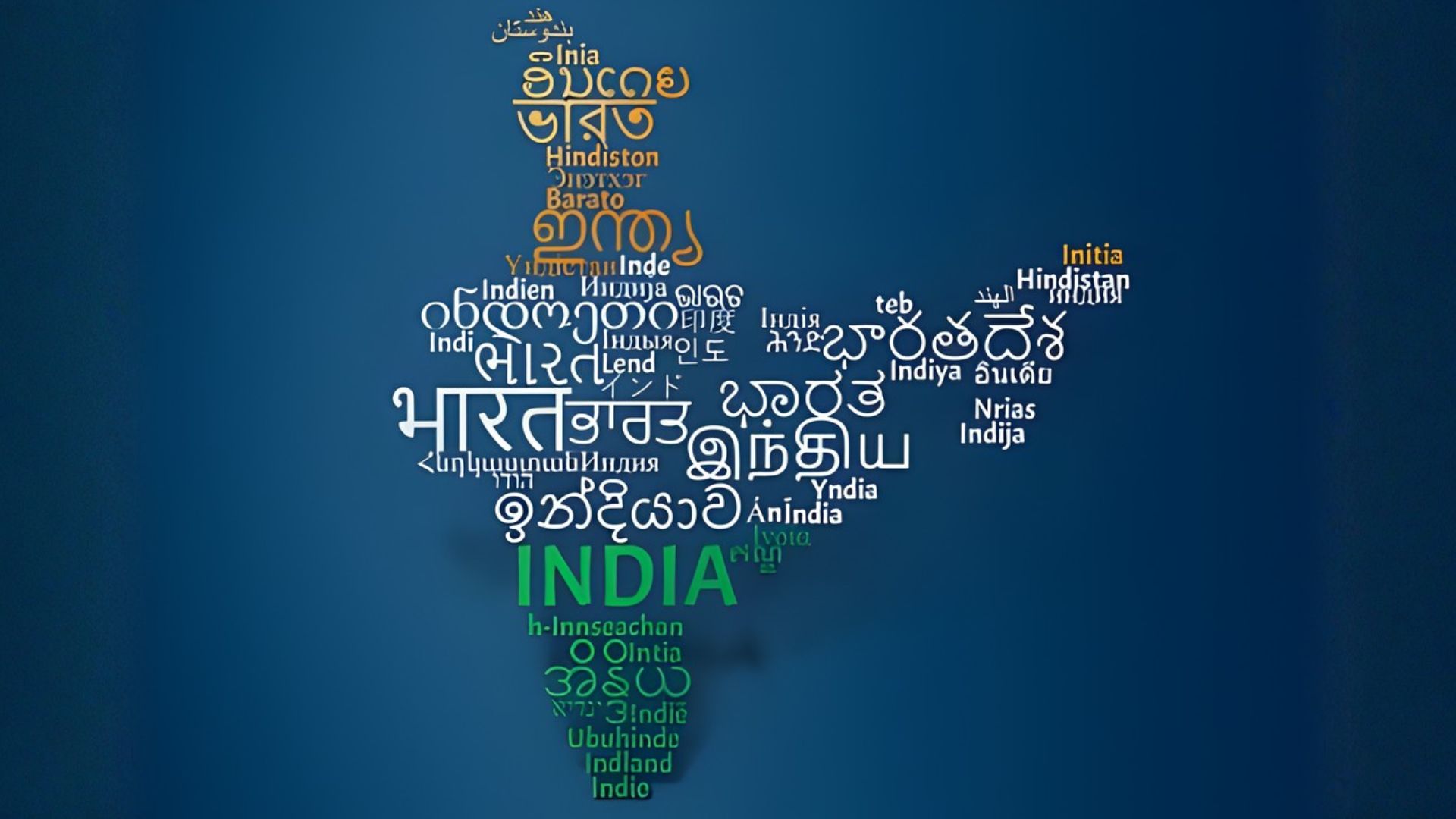
Unlike Latin-based languages, Indian languages involve multi-byte characters, multiple scripts, and complex typographic rules. Many guides skip these details, but addressing script rendering, transliteration, and typography is essential for building truly accessible and accurate multilingual applications in India.
1. Script Handling
Indian scripts like Devanagari, Tamil, and Bengali use multi-byte characters. Proper fonts, fallback strategies, and layout handling, including right-to-left support for Urdu, ensure consistent rendering across devices.
2. Transliteration Workflows
Transliteration converts text between scripts, e.g., Devanagari to Latin. It improves accessibility, search, and input flexibility without duplicating content, helping users interact in their preferred script.
3. Input Normalisation & Canonicalization
Standardising input ensures searches and identity matching work across scripts. For example, “राम” and “Ram” return the same results, handling diacritics, spacing, and spelling variations.
Working with multiple scripts, transliteration, and typography can get tricky. See how Anuvadak helps keep everything consistent and accurate.
After addressing scripts and transliteration, focus on streamlining translations through a structured localisation pipeline.
Localisation as a Pipeline: TMS, CI/CD & Translation Memory
Managing translations manually can slow development and introduce inconsistencies. Treating localisation as a pipeline ensures that multilingual content flows seamlessly from creation to deployment.
Here are the key components that make a localisation pipeline efficient and scalable:
- Translation Management System (TMS): Centralises translation assets, manages workflows, and enables collaboration between developers and linguists.
- CI/CD Integration: Automates deployment of updated translations alongside code, keeping content up to date without manual intervention.
- Translation Memory (TM): Stores previously translated segments for reuse, improving consistency and reducing effort for future updates.
With workflows in place, the next focus is ensuring enterprise-grade security, compliance, and scalability for multilingual applications.
Enterprise Checklist: Security, Compliance & Scalability

For enterprise applications, multilingual support is only practical when built on a foundation of strong security, regulatory compliance, and scalable infrastructure.
The following checklist highlights the essential practices every organisation should consider.
| Aspect | Key Action | Best Practises | Tools / Standards |
|---|---|---|---|
| Authentication | Enable MFA & SSO | Use strong passwords and token-based login | Okta, Auth0 |
| Authorization | Role & attribute-based access | Least privilege principle | Keycloak, AWS IAM |
| Data Encryption | Encrypt data in transit & at rest | TLS/SSL, AES encryption | OpenSSL, AWS KMS |
| Secure APIs | Protect endpoints | OAuth 2.0, JWT tokens | Postman, API Gateway |
| Vulnerability Management | Scan & patch regularly | Penetration tests, code review | Nessus, Snyk |
| Data Privacy Compliance | Follow GDPR, CCPA, PDPB | User consent, data minimisation | OneTrust, TrustArc |
| Industry Standards | Achieve certifications | ISO 27001, SOC 2, HIPAA | Certification bodies |
| Localization Compliance | Meet regional language & accessibility laws | Use local languages & adhere to accessibility | WCAG, ADA |
| Audit & Logging | Track access & changes | Maintain logs, enable alerting | ELK Stack, Splunk |
| Infrastructure | Scalable architecture | Microservices, containerization | Docker, Kubernetes |
| Load Balancing | Distribute traffic evenly | Use round-robin, least connections | Nginx, AWS ELB |
| Auto-Scaling | Adjust resources automatically | Cloud-based scaling | AWS Auto Scaling, GCP Compute Engine |
| Performance Monitoring | Track app & server performance | Detect bottlenecks | Datadog, New Relic |
| Disaster Recovery | Ensure business continuity | Regular backups, failover strategies | Veeam, AWS Backup |
Also Read: The Ultimate Guide to SEO Translation and Localisation for Multilingual Websites
Even with strong systems, localisation can face common pitfalls that are easy to avoid with the right approach.
Common Pitfalls and How to Avoid Them
Even with a solid localisation strategy, multilingual React apps can run into common challenges that affect performance, accuracy, and user experience.
The table below highlights the key issues and practical ways to avoid them.
| Pitfall | How to Avoid |
|---|---|
| Bundling All Locales | Lazy-load locale files; fetch dynamically per route/component. |
| Inconsistent Translation Keys | Use descriptive, centralised keys; manage via TMS. |
| Ignoring RTL Languages | Test and apply direction: rtl; & proper alignment for Urdu. |
| Incorrect Pluralization | Use ICU MessageFormat via react-intl or i18next-icu. |
| Script Variations | Include fonts for all scripts; test rendering across devices. |
| Missing Transliteration | Implement Roman-to-native script input for accessibility. |
| Hardcoded Text | Externalise all text via translation keys. |
| Date, Time & Currency Issues | Use Intl.DateTimeFormat and Intl.NumberFormat per locale. |
| Device/Browser Inconsistencies | Test UI on multiple devices/browsers for all locales. |
| No Fallbacks for Missing Translations | Provide default language or placeholder content. |
To simplify and automate localisation workflows, platforms like Anuvadak offer a comprehensive solution for managing translations at scale, avoiding common pitfalls.
Anuvadak – Simplifying Multilingual Website Localisation
Anuvadak is a platform designed to help organisations localise websites and apps for India’s multilingual audience. It addresses the challenges of managing multiple languages, scripts, and formats while keeping content accurate and consistent.
Key aspects of the platform include:
- Website & App Localisation: Handles translations for web and mobile applications, with a central dashboard for managing content, translation memory, and glossaries.
- Multilingual APIs: Provides Translation, Transliteration, Speech-to-Text, and Text-to-Speech APIs, supporting text and voice interactions across multiple Indian languages.
- Security & Scalability: Cloud-based infrastructure ensures secure data handling and supports enterprise-scale content operations..
Why it matters:
- Reach users in the language they are most comfortable with.
- Keep translations consistent and contextually correct across the platform.
- Make content accessible with voice and text features.
- Roll out updates smoothly without interrupting existing content or systems.
Conclusion
Building a multilingual React application for India requires more than simply translating text; it demands attention to scripts, pluralisation rules, performance, and accessibility. Establishing structured workflows, leveraging modern libraries, and planning for enterprise-grade scalability are all critical to delivering a seamless experience for users across languages.
Platforms like Anuvadak help simplify this complexity by centralising translation management, supporting transliteration, and enabling voice interactions, all while maintaining consistency and security at scale.
For guidance on setting up enterprise-grade localisation or exploring how Anuvadak can fit into your React projects, contact our team to discuss your requirements and next steps.
Frequently Asked Questions (FAQs)
1. What is the best library for React localisation in India?
React-i18next is ideal for enterprise SPAs needing flexibility, while React-Intl suits apps requiring precise ICU formatting. Next-Intl works well with Next.js projects.
2. How can I handle multiple Indian scripts in React?
Use proper fonts, test layouts across devices, and implement transliteration where needed. ICU message formatting helps manage pluralisation and script-specific rules.
3. How do I optimise performance for multilingual React apps?
Lazy-load locale files per route or namespace, cache on the edge/CDN, and avoid bundling all locales upfront to reduce payload size.
4. How do I manage translation consistency across the app?
Centralise translation keys, maintain a glossary or translation memory, and integrate with a TMS to ensure context-aware, consistent translations.
5.How can I scale my business with multilingual websites?
Anuvadak streamlines website localisation, enabling businesses to reach diverse linguistic audiences quickly and cost-effectively, expanding market reach and driving growth.

