Reading a website in an unfamiliar language can feel confusing and distant. For many users, that’s a common experience when content isn’t tailored to their language or culture.
Research shows that 72% of users prefer websites in their native language, highlighting why it’s important to localise in WordPress for global reach.
That’s where WordPress localisation makes a difference. Instead of just translating text, it customises every element of your site, language, visuals, layout, and even currency to match regional preferences and cultural nuances.
This guide covers everything you need to know to localise in WordPress, from essential tools and setup steps to proven strategies for building a seamless multilingual experience.
Key Takeaways
- WordPress localisation adapts your website’s language, visuals, and functionality for specific regions and cultures.
- Translation converts text from one language to another, while localisation ensures a complete cultural fit.
- localised WordPress sites improve accessibility, engagement, and SEO visibility across global markets.
- Tools like WPML, Polylang, and TranslatePress simplify translation and multilingual management.
- Automating localisation workflows ensures faster updates, accuracy, and consistency across languages.
Now, let’s look at what makes localisation in WordPress so powerful for your brand.
Understanding How to Localise in WordPress and Why It Matters
Expanding your online presence globally means creating content that feels natural to users across languages and cultures. When you localise in WordPress, you adapt your site’s language, tone, design, and structure to meet the expectations of audiences in different regions.
Unlike basic translation, localisation personalises your entire website from currency and date formats to visuals and color palettes to ensure cultural alignment.
For instance, a campaign banner might look different for visitors in Japan and India, reflecting local values and preferences.
Here’s why learning to localise in WordPress is essential for your brand:
- Global Reach: A localised site helps you connect with audiences across multiple regions, widening your market access.
- User Comfort: Visitors engage better when your content feels native and familiar.
- Cultural Relevance: Tailoring your message and visuals to local norms builds authenticity and trust.
- SEO Advantage: localised keywords and metadata improve visibility in region-specific search results.
Also Read: India-Ready Shopify Store: How localisation & Translation Can Drive Success
Once you understand the value, it’s time to start preparing your site for localisation.
Getting Started: How to Localise in WordPress
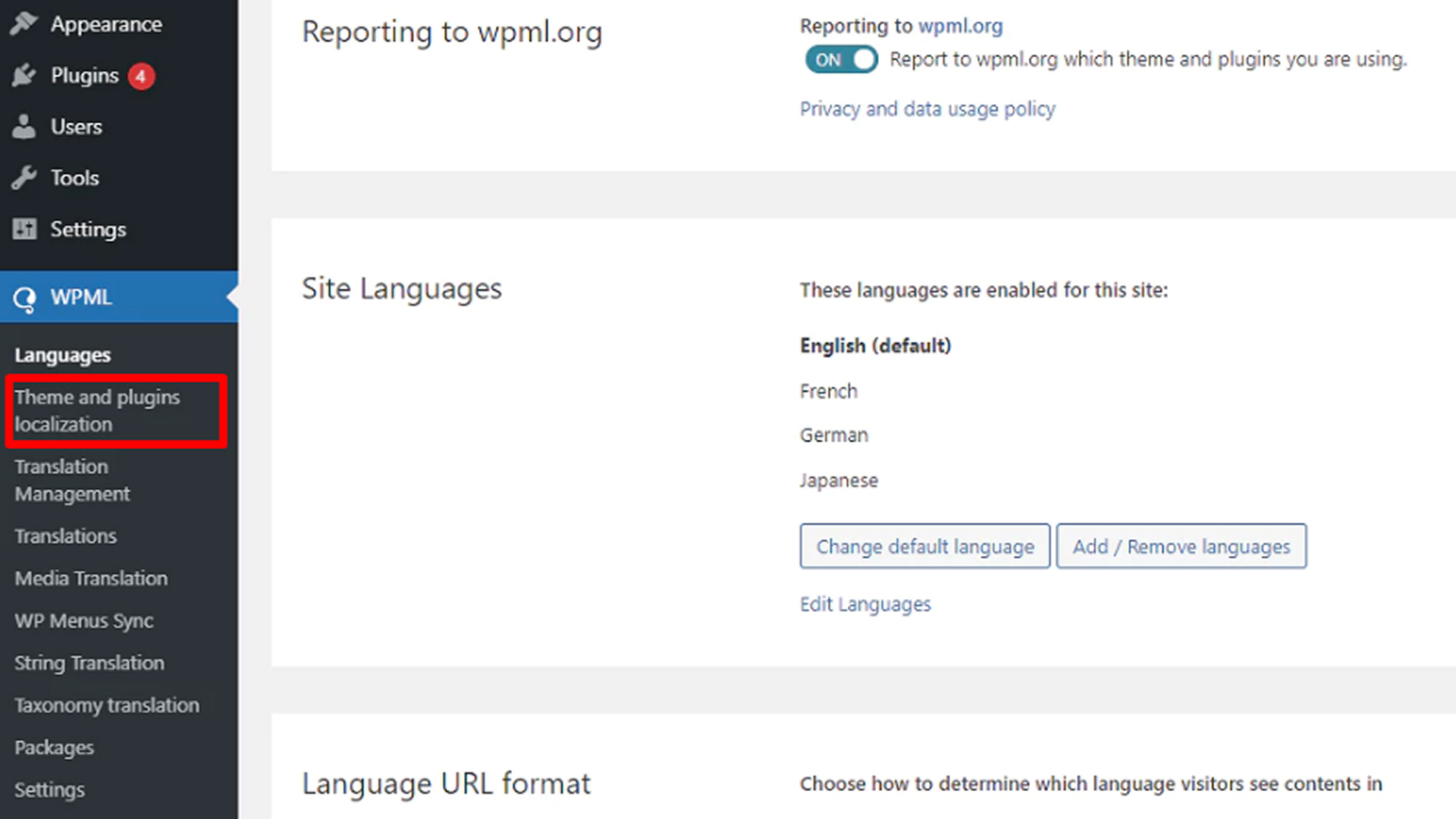
Before you begin translating your content, your website needs to be ready for localisation. This preparation stage, known as internationalization, ensures your WordPress theme, plugins, and content structure can support multiple languages seamlessly.
Here’s how to get started when you localise in WordPress:
Step 1: Enable Internationalisation
Internationalization makes your website “translation-ready.” It involves adding WordPress functions like __() and _e() in your theme or plugin code.
Most modern WordPress themes already include this, allowing you to easily integrate translations later.
Step 2: Choose the Right Themes and Plugins
Select translation-ready themes and plugins that include .pot files. These files contain all the translatable strings, ensuring you can convert text into any language without affecting your site’s design or structure.
Also Read: How to Optimise Your Website for Multilingual SEO?
Step 3: Work with Translation Files
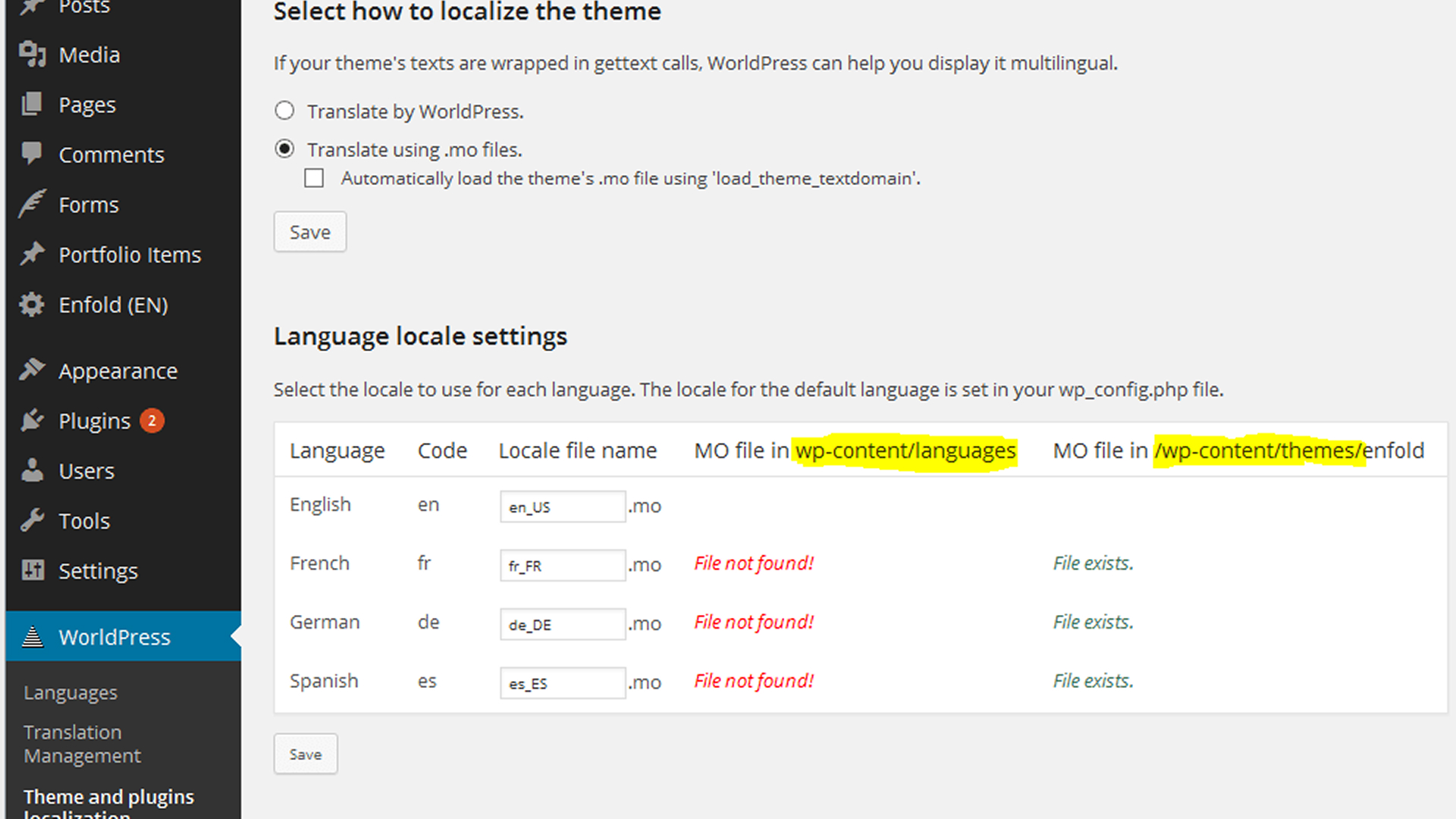
When you localise in WordPress, three file types form the foundation of your multilingual setup:
- .pot: The template file that lists all translatable text strings.
- .po: The file containing translations in your chosen language.
- .mo: The machine-readable file WordPress uses to display translated content on your site.
Together, these files ensure that your website automatically shows the correct language to visitors based on their location or chosen preference.
With these steps in place, your site will be ready to localise in WordPress effectively with the help of platforms like Anuvadak, setting the foundation for a smooth multilingual experience.
Now that your site is ready, the next step is choosing the right tools.
Top 3 Plugins to Help You Localise in WordPress
Building a multilingual website manually can take significant time and effort. Thankfully, WordPress offers reliable tools and plugins that make it easier to localise in WordPress, manage translations, and maintain accuracy across all languages.
Here are some of the most effective options for website localisation:
1. WPML (WordPress Multilingual Plugin)
WPML is a trusted premium plugin that supports over 40 languages. It integrates smoothly with WooCommerce, making it ideal for multilingual B2B websites. WPML also lets you manage translations directly from your dashboard, ensuring consistency across posts, pages, and menus.
2. Polylang
If you’re running a smaller site, Polylang offers a lightweight and flexible way to translate posts, pages, and categories manually. It also gives you full control over your language switcher, helping visitors navigate easily between versions.
3. TranslatePress
TranslatePress allows you to translate your content visually from the front end of your site. You can see real-time changes as you translate, and it supports both manual and automatic machine translations for faster workflows.
Using these tools, you can localise in WordPress efficiently and ensure your website feels authentic and accessible to users around the world.
3 Effective Strategies to Localise in WordPress
Once you’ve decided to reach audiences beyond borders, the next step is to make your WordPress site feel truly local to every visitor.
It’s not just about adding new languages; it’s about adapting your entire experience to match cultural expectations, browsing habits, and communication styles.
Here’s how you can effectively localise in WordPress to create a website that feels native, no matter where your audience is from:
1. Manual vs. Machine Translation
While machine translation tools like Google Translate or DeepL offer speed, they often miss tone and cultural context. The most effective approach is a hybrid one use automation for efficiency and refines results with human editors to maintain quality and nuance.
2. Frontend Language Switcher
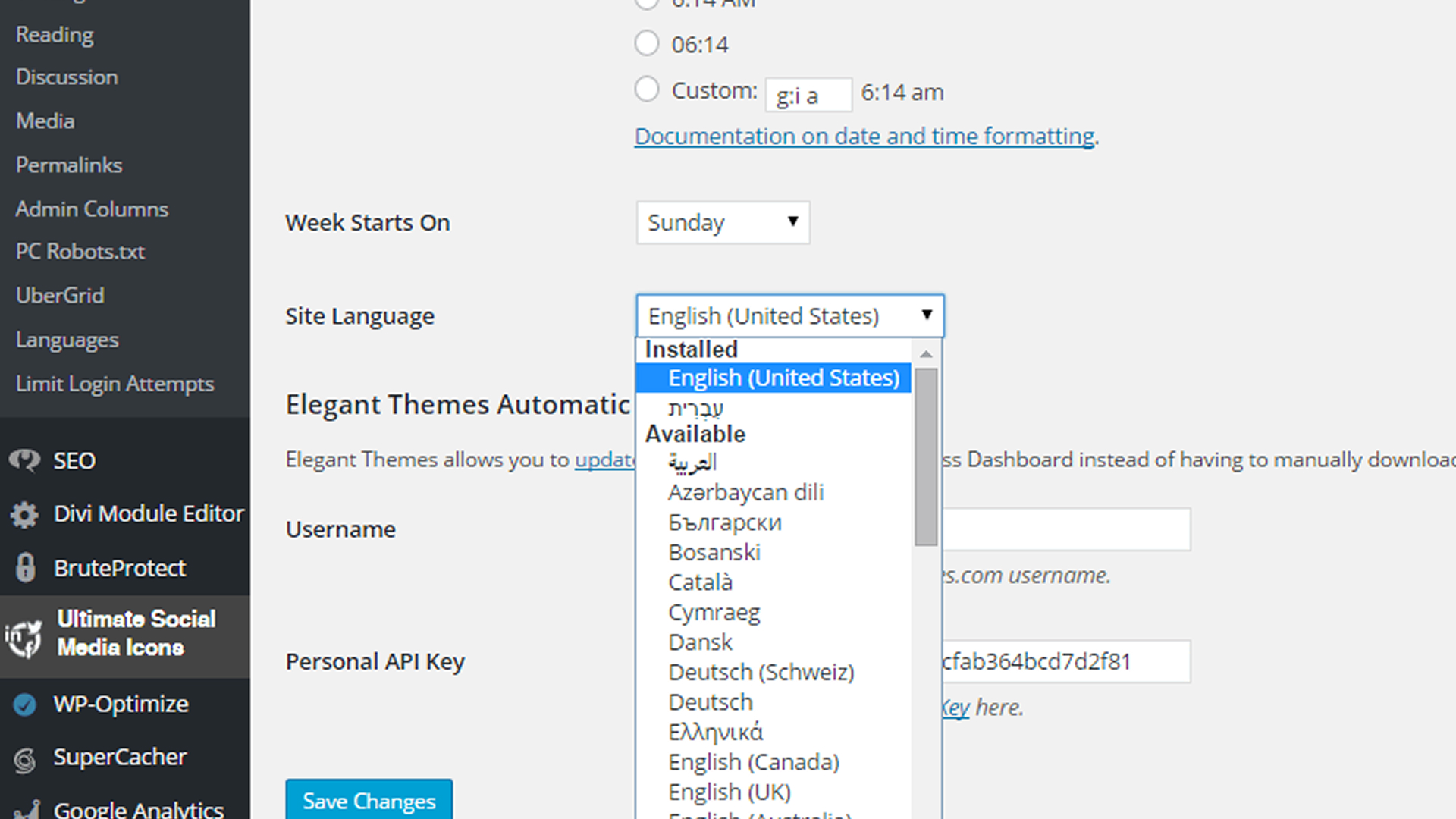
Make it effortless for users to switch between languages. Add a clear language selector to your site’s header or footer, allowing visitors to easily browse in their preferred language without confusion.
3. Multimedia and Image localisation
Text isn’t the only element that needs localisation. When you localise in WordPress, adapt visuals, captions, and icons to align with regional expectations. Use culturally relevant photos and update on-image text to match each language version.
When you localise in WordPress thoughtfully, your website becomes more than multilingual; it becomes personal, relatable, and regionally relevant, helping your brand connect with users worldwide.
How To Enhance Multilingual User Experience through WordPress Localisation?
A well-localised WordPress site goes beyond translating text; it’s about how users feel when they interact with your content.
When you localise in WordPress, you adapt every element of your website to reflect the culture, behaviour, and preferences of your audience.
Let’s look at a few ways you can make your WordPress site more localised and engaging:
1. Adapting for Cultural Sensitivity
Start by aligning your tone, visuals, and expressions with your target audience’s culture. Small details like colours, symbols, or idioms can mean different things in different regions. Thoughtful adaptation helps your content feel natural and trustworthy.
2. Currency and Unit Conversion
If your site includes pricing or product details, localisation goes beyond language. Enable automatic updates for currencies, taxes, and measurements using WordPress localisation plugins. This gives each visitor a seamless, region-specific shopping experience.
Also Read: The Ultimate Guide to SEO Translation and Localisation for Multilingual Websites
3. SEO localisation
Once your content feels local, make sure users can find it easily. When you localise in WordPress, optimise meta descriptions, URLs, and keywords for regional search engines. Add hreflang tags so visitors are directed to the right language version automatically.
By combining cultural awareness, practical adjustments, and SEO optimisation, you can localise in WordPress effectively, creating an experience that feels personal, authentic, and region-ready.
Challenges and Best Practices for Localising WordPress Sites
Creating and maintaining a multilingual website goes beyond translation; it’s about keeping your content accurate, adaptable, and culturally relevant. Here are some common challenges and simple ways to overcome them as you localise in WordPress effectively.
| Challenge | Best Practice |
| Text added inside images | Avoid embedding important text within images. Use translatable image layers and web fonts that support multiple scripts. |
| Design adaptability for various languages | Languages such as Arabic or German may require more space or different text directions. Choose flexible layouts that adjust smoothly. |
| Manual translation updates | Automate content synchronization so new or edited posts update across all localised versions instantly. |
| Maintaining tone and message consistency | Review translations regularly to ensure accuracy, cultural appropriateness, and consistent communication. |
| Managing multiple language workflows | Use centralised platforms like Anuvadak to handle automation, manage translation memory, and coordinate multilingual updates efficiently. |
Following these practices helps you localise in WordPress smoothly, ensuring your website remains accurate, inclusive, and easy to scale for global audiences.
The Future Trends in Localising WordPress
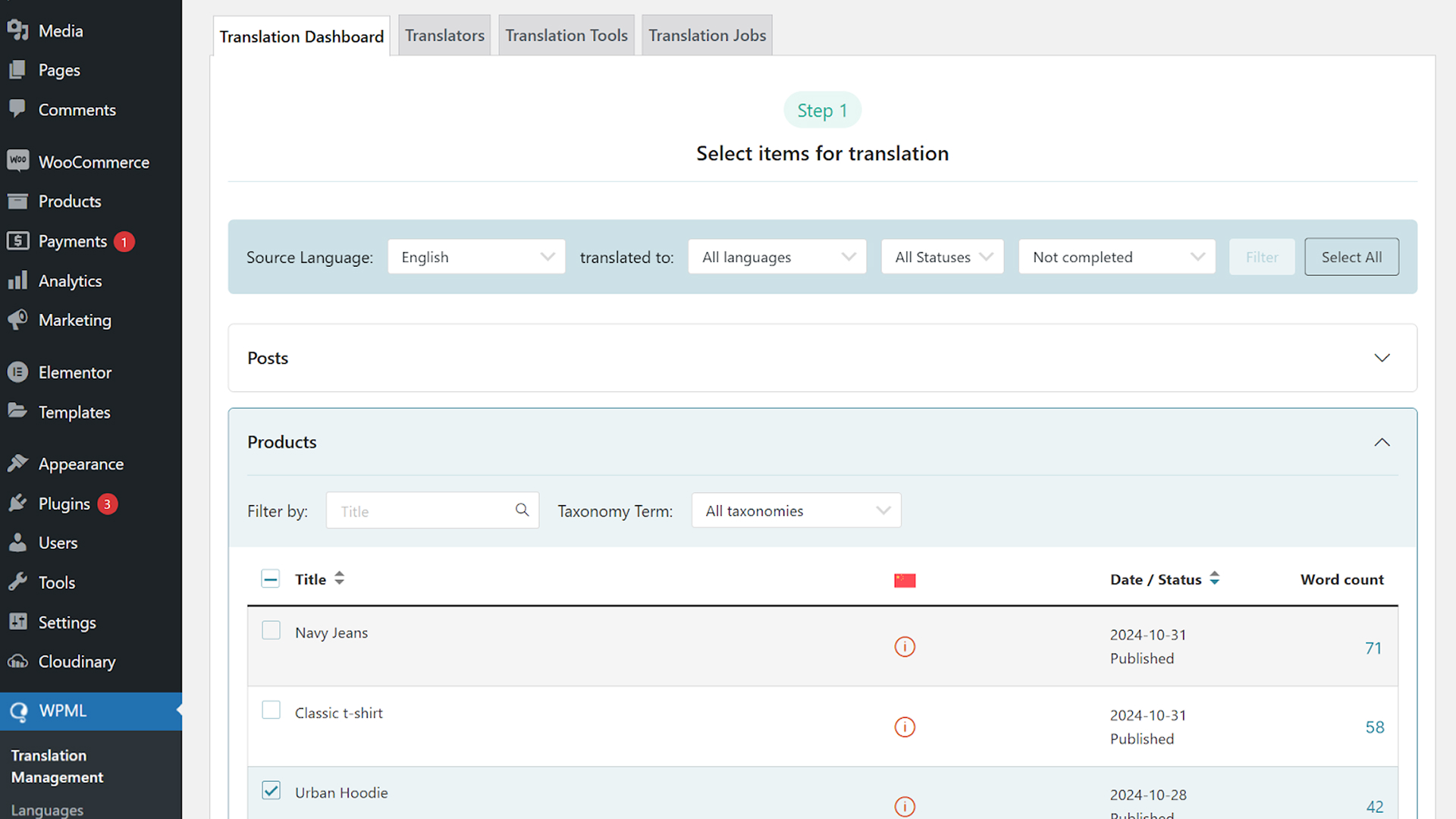
As the global digital space expands, the way you localise in WordPress is rapidly changing. AI-driven translation tools, real-time language detection, and automated localisation workflows are redefining how websites reach multilingual audiences.
Modern WordPress plugins now use machine learning to enhance translation accuracy, making it easier than ever to manage and update localised content.
When you localise in WordPress thoughtfully, your website becomes more than just multilingual, it feels native to every visitor. Well-localised sites build stronger cultural connections, improve user trust, and support seamless global engagement.
Here’s what makes the future of WordPress localisation exciting:
- AI Integration: Advanced plugins now use AI to deliver context-aware translations that sound natural and precise.
- Real-Time Adaptation: Automatic language detection ensures users view your site in their preferred language instantly.
- Efficient Workflows: Automation reduces manual updates, keeping multilingual versions consistent and up to date.
- Global Business Expansion: Localising your WordPress site helps brands connect authentically with audiences worldwide.
With platforms like Anuvadak, managing WordPress localisation becomes simpler, faster, and more scalable, helping your business grow naturally across languages and cultures.
How Anuvadak Can Help You Localise Your WordPress Website?
If you’re aiming to make your WordPress site multilingual, Anuvadak offers a seamless way to localise your content while keeping translations consistent and accurate. It goes beyond simple language conversion by maintaining cultural context, readability, and SEO best practices across every page.
Here’s how you can use Anuvadak effectively for WordPress localisation:
1. Automated website localisation: Anuvadak connects directly with your WordPress CMS, allowing you to translate themes, posts, and pages without disrupting your existing setup. You can manage all language versions from a single dashboard.
2. Comprehensive app localisation: The platform automatically syncs and updates translations whenever new content is published on WordPress, ensuring your multilingual pages stay current.
3. Translation & Transliteration APIs: Anuvadak’s APIs support both translation and transliteration across Indian languages. For example, you can translate your content into Hindi or Tamil, or convert text between scripts for better readability.
4. SEO and Accessibility Benefits: localised URLs, language tags, and region-specific keywords improve visibility in search results. Plus, speech-to-text and text-to-speech capabilities make your site accessible to a wider audience.
With Anuvadak, you can efficiently localise your WordPress website, enhance engagement across diverse linguistic audiences, and deliver a consistent experience across all digital touchpoints.
Conclusion
Successful localisation in WordPress isn’t just about translating text; it’s about creating experiences that feel native to every visitor. It calls for close attention to language, culture, and user behaviour, supported by technology that scales with your goals.
For businesses seeking seamless, consistent, and efficient localisation, Anuvadak offers powerful tools to manage content, simplify multilingual workflows, and ensure every user feels connected.
To learn how your website can be localised in WordPress and reach audiences across India’s languages, connect with us today.
FAQs
1. What is WordPress localisation?
WordPress localisation means adapting your website for different languages and cultures. It covers more than text translation, including visuals, currencies, date formats, and design preferences to match regional expectations.
2. How is localisation different from translation?
Translation converts content from one language to another. localisation ensures your content fits the target culture by adjusting visuals, tone, and formatting for a natural user experience.
3. Which plugins are best for translating WordPress sites?
Popular WordPress translation plugins include WPML, Polylang, TranslatePress, and Weglot. Each offers specific features suitable for different website sises and technical needs.
4. Does localisation improve SEO?
Yes. When you localise keywords, meta descriptions, and URLs, your website can rank better in regional search results, helping you connect with a wider audience.
5. How can businesses manage multilingual content efficiently?
Use Translation Management Systems (TMS) like Lokalise or Crowdin to centralise updates, maintain translation accuracy, and automate workflows. Platforms such as Anuvadak further simplify large-scale WordPress localisation with seamless integration and real-time consistency.

