Are your videos effectively reaching all segments of your audience in India’s growing digital market?
Industries such as e-commerce, healthcare, education, and legal services are increasingly reliant on video, making accessibility crucial. India’s video market is projected to reach $13 billion (≈ ₹1.08 trillion) by 2028, driven by streaming growth and demand for localised content. Using SRT files ensures videos are clear and accessible to all viewers, including those with hearing impairments or non-native language speakers.
In this blog, you’ll learn how to create an SRT file for your videos, ensuring accessibility and optimised delivery across multiple platforms.
Key Takeaways
- Accessibility: Subtitles make your content accessible to individuals who are deaf or hard of hearing, as well as to non-native language speakers.
- SEO Benefits: Search engines can index subtitle text, potentially improving your video’s searchability and reach.
- User Engagement: Well-timed subtitles can enhance viewer engagement and retention by providing clarity and context.
- Platform Compatibility: SRT files are compatible with most video platforms, including YouTube, Vimeo, and social media channels.
- Brand Professionalism: Accurate and timely subtitles reflect professionalism and attention to detail in your content.
What is an SRT File?
An SRT file (SubRip Subtitle) is a plain text file that contains subtitles along with their corresponding timecodes, allowing videos to display text in precise sync with the audio. Each subtitle in the file follows a standard structure:
- Subtitle Number: A sequential identifier for each subtitle.
- Timecode: Specifies the start and end times in the format
hours:minutes:seconds,milliseconds --> hours:minutes:seconds,milliseconds - Subtitle Text: The dialogue, description, or on-screen text that appears during the specified time frame.
This format ensures that subtitles are accurately timed with the video, enhancing comprehension, accessibility, and overall viewer experience across industries such as e-commerce, healthcare, education, and legal services.
Understanding the structure and purpose of an SRT file is essential, but the real value comes from knowing how to create one accurately for your video content.
How to Create an SRT File: 8 Key Steps for Accurate Subtitles
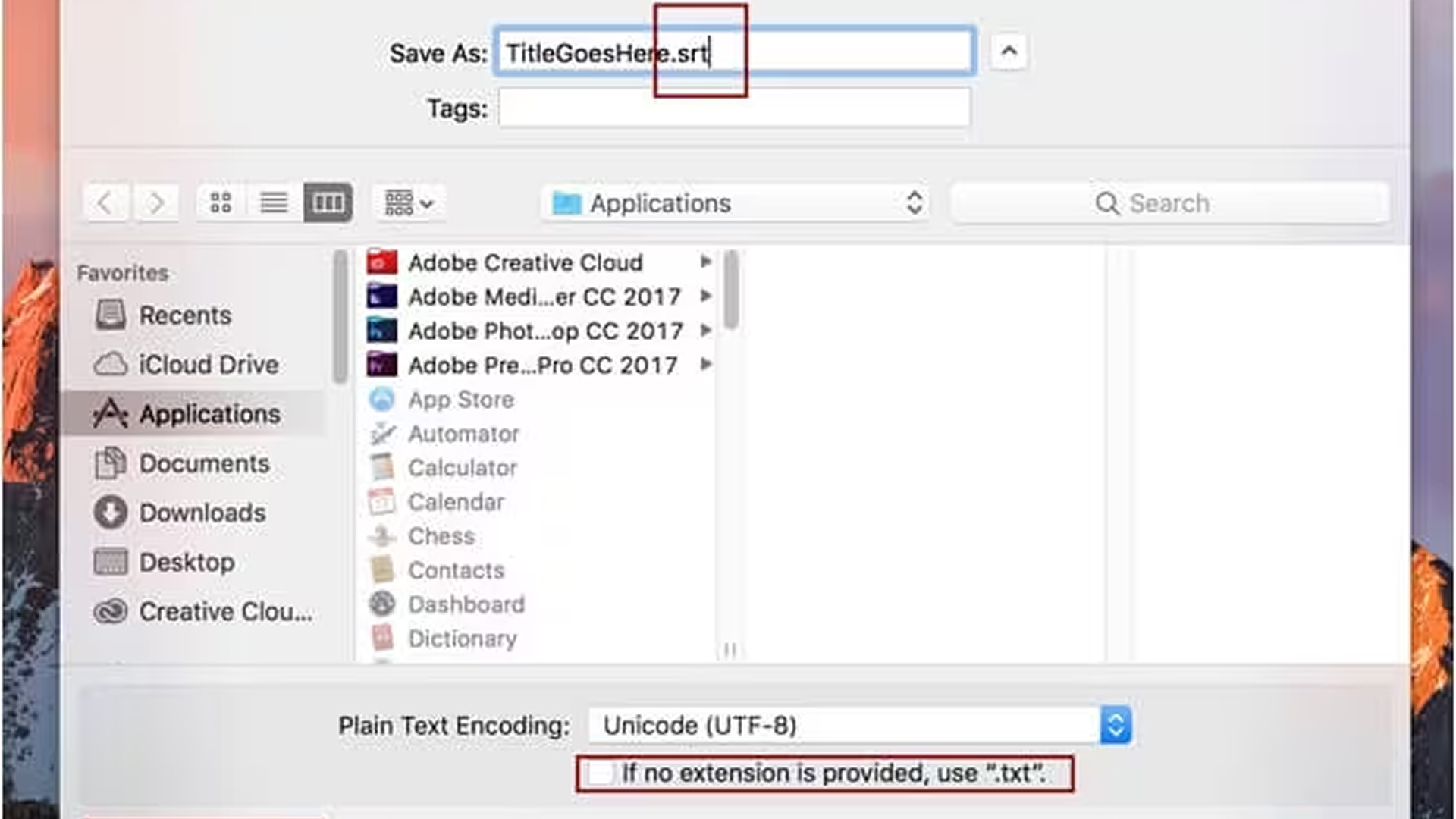
Creating an SRT file requires precision to ensure subtitles are accurate, readable, and perfectly synchronised with your video. The following eight steps explain how to produce professional-quality subtitles:
1. Select a Plain Text Editor
Start with a plain text editor to ensure your SRT file is compatible with all video platforms and free from formatting errors.
- Choose the Right Tool: Use Notepad on Windows or TextEdit on Mac.
- Avoid Word Processors: Programs like Microsoft Word may insert hidden formatting that breaks SRT syntax.
- Set UTF-8 Encoding: Save the file in UTF-8 to support special characters and maintain subtitle accuracy.
- Ensure Precision: Using a plain text editor preserves clean timecodes and subtitle text, preventing sync or display issues.
2. Analyse Your Video Content
Observe your video to understand dialogue, narration, and on-screen text before adding subtitles.
- Identify Segments: Note the start and end times for each section that requires subtitles.
- Break Long Videos: Divide lengthy content into smaller segments to maintain timing accuracy.
- Consider Pacing: Pay attention to dialogue speed and pauses to prevent overlapping subtitles.
- Use Transcription Tools: Tools like Reverie’s Speech-to-Text API can automatically transcribe dialogue in multiple Indian languages, saving time and creating accurate subtitle drafts.
3. Set Up Initial Timecodes
Timecodes define when each subtitle appears and disappears, ensuring perfect sync with the video’s dialogue or on-screen text.
- Add Sequential Numbers: Begin each subtitle with a consecutive number (1, 2, 3, and so on).
- Insert Timecodes: On the next line, specify the start and end times in this format:
hours:minutes:seconds, milliseconds --> hours:minutes:seconds,milliseconds - Example Format:
00:01:05,500 --> 00:01:08,000 - Ensure Accuracy: Precise timestamps prevent subtitle misalignment and improve viewer comprehension.
4. Enter Subtitle Text
Add the subtitle text directly below each timestamp to make the dialogue easy to follow and visually clear.
- Write Relevant Dialogue: Include the exact spoken line or on-screen description for that video segment.
- Maintain Readability: Limit each subtitle to one or two lines to ensure viewers can read comfortably.
- Use Clear Language: Keep the tone professional, neutral, and inclusive for all audience types.
- Avoid Complexity: Refrain from long sentences or complex phrasing that could reduce clarity.
5. Repeat for All Subtitles
Apply the same structure consistently across the video to maintain accurate and synchronised subtitles.
- Follow Sequence: Begin each new subtitle immediately after the previous one, maintaining consecutive numbering.
- Prevent Overlaps: Ensure timecodes do not overlap and align precisely with the spoken dialogue or narration.
- Maintain Formatting: Keep consistent spacing, structure, and punctuation for a uniform presentation.
- Example Format:
00:00:05,200 --> 00:00:09,500Welcome to our corporate training session.00:00:10,000 --> 00:00:14,300Today, we will cover the key steps in creating an SRT file.- Ensure Professional Quality: Proper numbering and timing prevent upload errors and deliver an accessible, polished viewing experience.
6. Verify Subtitle Accuracy
Play the SRT alongside the video and confirm every line is correct and readable.
- Play and Check: Play the video with the SRT active to verify timing and sync.
- Match Dialogue: Ensure the subtitle text exactly matches the spoken content, including speaker changes.
- Test Readability: Confirm subtitles are legible on desktop, mobile, and TV-sized screens.
- Validate Terminology: Clarify or expand technical terms for B2B audiences to ensure their meaning is preserved.
- Fix Timing Issues: Adjust timestamps where subtitles appear too early, too late, or overlap.
7. Save and Upload the SRT File
Finalise the file correctly and upload it to your target platform.
- Use Correct Filename: Save with a .srt extension (for example: training_video.srt).
- Set Encoding: Ensure the file is saved in UTF-8 to support special characters and multilingual text.
- Upload to Platform: Upload to YouTube, Vimeo, corporate LMS, or your CMS according to the platform’s instructions.
- Link and Enable: Confirm the SRT is linked/attached and subtitles/CC are enabled during playback.
- Verify Post-Upload: Play the hosted video to check that subtitles render correctly and respect line breaks.
8. Refine Subtitles as Needed
Iterate after review and feedback to keep subtitles accurate and accessible.
- Collect Feedback: Monitor viewer comments and QA reports for timing, accuracy, or readability issues.
- Correct Errors: Fix typos, punctuation, and phrasing to improve clarity and flow.
- Adjust After Edits: Re-time subtitles after any video edits to maintain sync.
- Simplify Language: Shorten or split long lines to meet reading-speed limits (one to two lines).
- Maintain Updates: Periodically update subtitles to ensure ongoing accessibility and professional quality.
Looking to streamline your subtitle creation and maintain perfect sync? Schedule a call with Reverie today to discover how it can streamline your workflow.
By following these steps carefully, businesses can create SRT files that are accurate, accessible, and professionally formatted. Now, let’s understand why these files are essential for effective video communication.
Why Accurate SRT Files Matter for Subtitles?
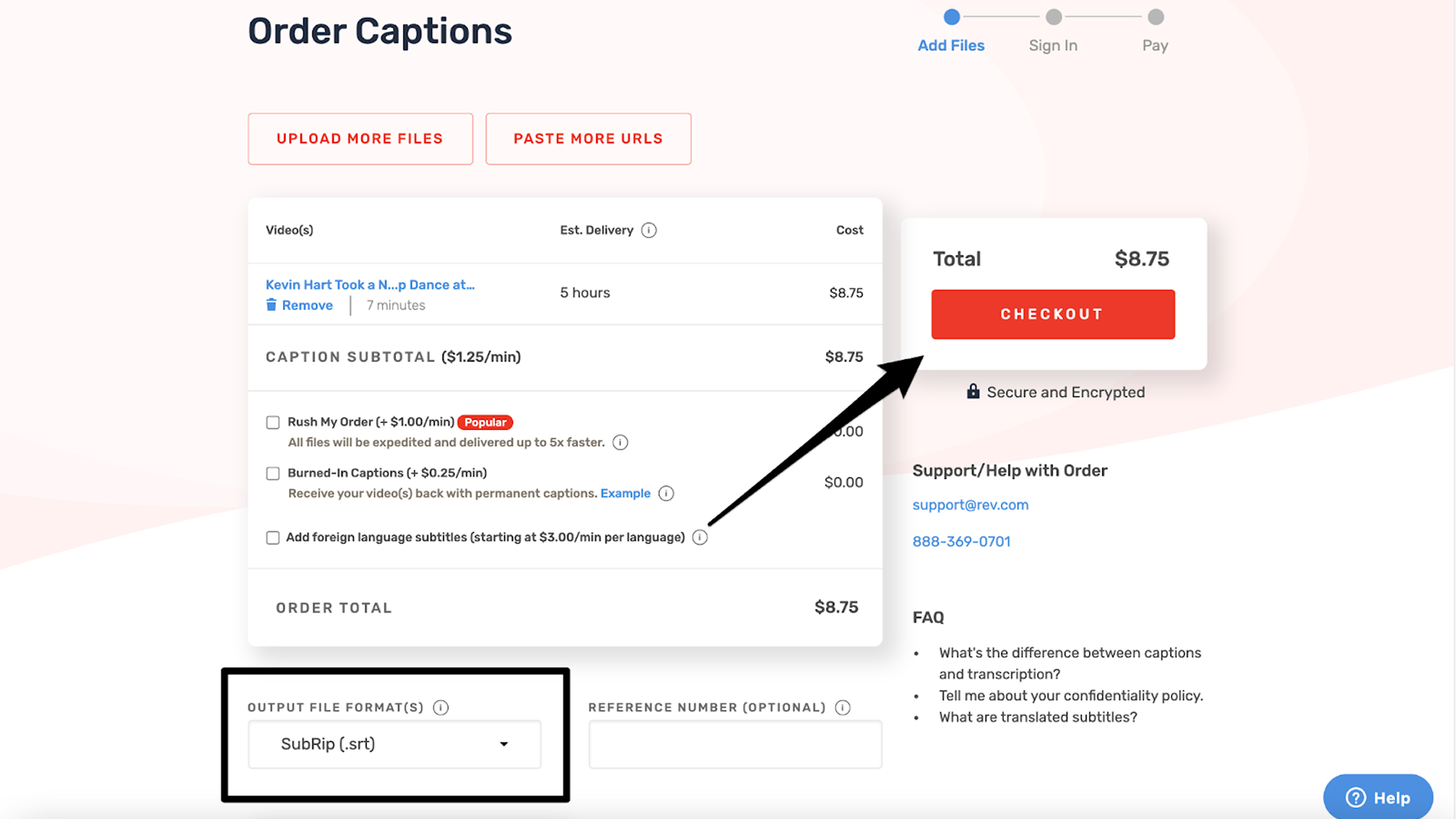
Accurate SRT files ensure subtitles are displayed correctly and in sync with video content across all platforms. By providing structured, time-coded text, they make videos more accessible, engaging, and professional. The main advantages of using precise SRT files include:
- Cross-Platform Compatibility: Standard SRT files work reliably on all major video players, streaming services, and learning management systems.
- Multilingual Support: One video can include multiple subtitle tracks in different languages without re-editing, facilitating localisation.
- Precise Timing: SRT timecodes control exactly when subtitles appear and disappear, keeping them in sync with dialogue or on-screen action.
- Improved Viewer Engagement: Accurate subtitles help viewers follow the content effortlessly, boosting comprehension, retention, and overall engagement.
- Professional Presentation: Correctly synced subtitles reduce errors like overlaps or missing lines, ensuring a polished, high-quality viewing experience.
Also Read: How Reverie’s Speech-to-Text API is Reshaping Businesses in India
Recognising the importance of SRT subtitles also means understanding potential synchronisation issues that may affect their effectiveness.
Common SRT Sync Issues and How to Fix Them
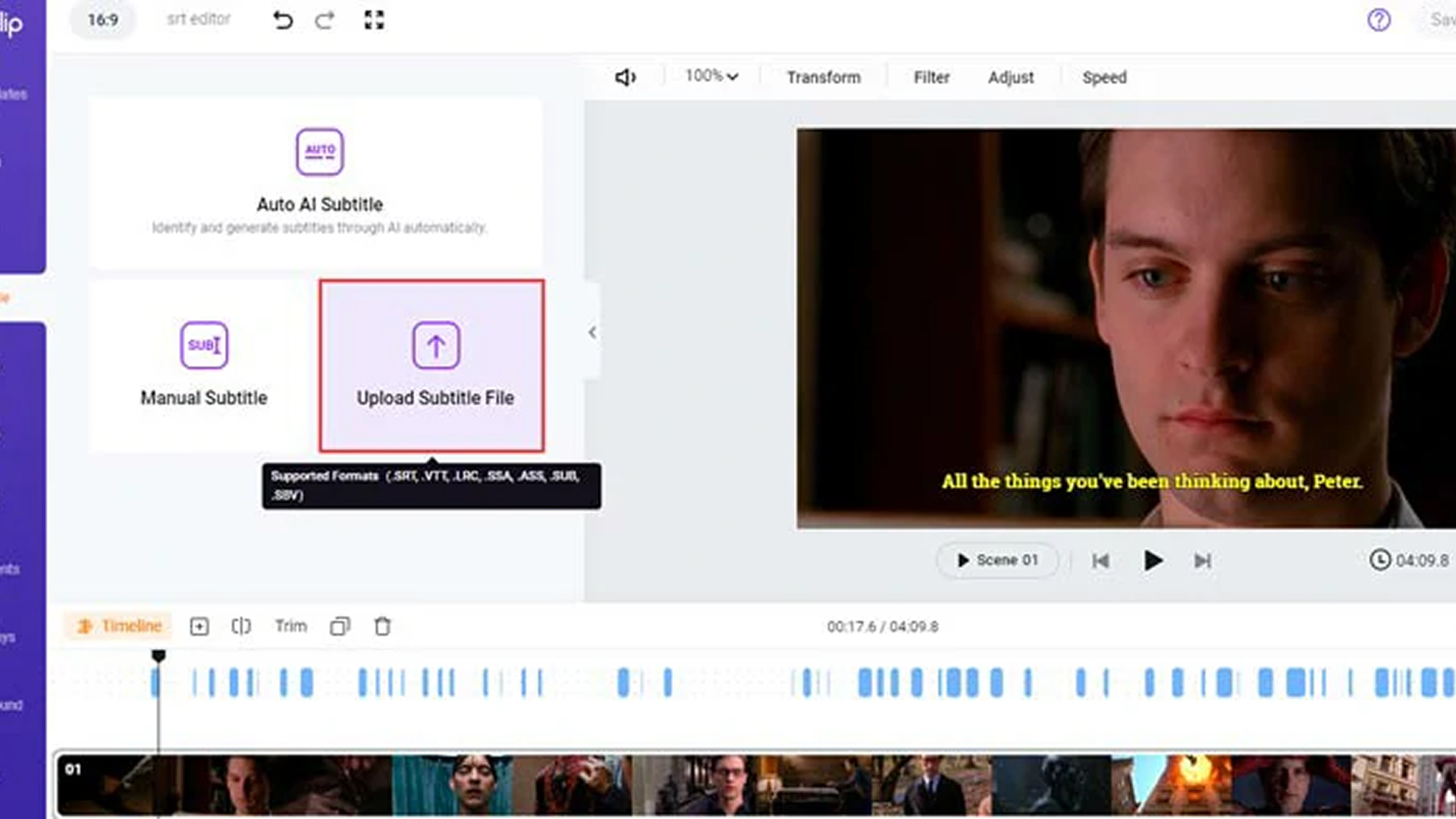
Even well-formatted SRT files can experience timing or display problems that disrupt the viewing experience. To maintain professional, accurate, and engaging subtitles, it’s essential to identify common issues and know how to resolve them effectively.
1. Delayed or Early Subtitles: Occurs when timestamps are offset, causing subtitles to appear before or after the dialogue.
- How to Fix: Open the SRT file in subtitle editing software or a text editor and adjust the start and end times for each subtitle. Some tools also allow you to apply a global offset to shift all subtitles forward or backward uniformly.
2. Overlapping Captions: Happens when the end time of one subtitle extends past the start time of the next.
- How to Fix: Check the time codes for each subtitle and ensure the end time of one line is slightly before the start time of the next. Most subtitle editors have an “auto-correct overlaps” feature that can adjust these automatically.
3. Missing or Skipped Lines: Usually caused by formatting errors such as missing sequence numbers, blank lines, or extra spaces.
- How to Fix: Verify that each subtitle has a sequential number, followed by a correctly formatted timestamp and text. Remove extra blank lines and ensure the file follows proper SRT structure.
4. Encoding Problems: Non-UTF-8 files may display garbled characters, especially with special or non-Latin characters.
- How to Fix: Save the file explicitly in UTF-8 encoding using your text editor or subtitle software. Avoid programs like Microsoft Word that may add hidden formatting.
5. Platform-Specific Timing Drift: Playback variations between different devices or platforms can cause misalignment.
- How to Fix: Test your SRT file on all target platforms (desktop, mobile, LMS, streaming services). Make minor adjustments to timestamps as needed to ensure consistent sync across devices.
Also Read: Power of Speech to Text API: A Game Changer for Content Creation
By systematically identifying and fixing these sync issues, you can ensure a consistent, high-quality subtitle experience that enhances viewer comprehension, engagement, and accessibility.
How Reverie’s Speech-to-Text API Enhances Your Workflow?
Reverie’s Speech-to-Text API enables your business to convert spoken voice into text reliably. Here’s how it can support your operations:
- Transcription in 11 Indian languages: Seamlessly convert conversations, including regional or mixed-language content, into correctly punctuated text.
- Real-time and batch processing: Monitor calls live or process large volumes of audio later, giving you flexibility in how you analyse voice data.
- Voice typing and command support: Enable users to create textual content by speaking or invoke actions via voice commands.
- Smooth integration and developer support: Use APIs or SDKs with clear documentation and a testing playground to integrate speech transcription into your CRM, contact center, or internal systems.
- Data security & privacy compliance: Reverie encrypts data and adheres to strong privacy standards, essential for sectors such as legal, healthcare, and finance.
| Clients have reported measurable results, including a 60% increase in engagement, 2.5× growth in lead generation, a 62% reduction in operational costs, and a 52% rise in CSAT. |
These results demonstrate that Reverie improves transcription accuracy while enhancing workflow efficiency and delivering measurable business outcomes.
Final Thoughts
Creating accurate SRT files is essential for delivering accessible, professional, and engaging video content. Properly timed subtitles allow viewers to follow dialogue, on-screen instructions, or narration without confusion, enhancing comprehension and overall video effectiveness. Businesses that overlook subtitle quality risk losing audience engagement and failing to meet accessibility standards.
Using Reverie’s Speech-to-Text API simplifies the creation of precise, time-coded subtitles in multiple languages. The platform saves time, ensures high accuracy, and supports cross-platform compatibility, enabling businesses to deliver globally accessible video content with ease.
Enhance your video accessibility and subtitle accuracy today by utilising Reverie’s advanced tools. Sign up now to streamline subtitle creation, maintain professional-quality output, and maximise audience engagement!
FAQs
1. Can SRT file creation be automated for large video libraries?
Yes. APIs like Reverie’s Speech-to-Text can automatically transcribe audio and generate SRT files at scale, reducing manual effort and ensuring consistent timing across multiple videos.
2. How can SRT files integrate with existing enterprise video workflows?
SRT files can be directly uploaded to corporate LMS, video platforms, or editing software. Automation tools allow seamless batch processing, embedding subtitles without altering original video content.
3. How do I maintain subtitle accuracy in multilingual or mixed-language videos?
Advanced transcription tools support multiple languages and regional accents. They generate separate SRT tracks for each language, ensuring precise timecodes and readable subtitles for diverse audiences.
4. What best practises improve subtitle readability and engagement?
Use short, one- to two-line captions per timestamp, avoid complex sentences, maintain consistent formatting, and verify sync on multiple devices. Proper timing and clarity enhance comprehension and user experience.
5. How can businesses ensure compliance and accessibility standards with subtitles?
Accurate SRT files help meet accessibility requirements for hearing-impaired viewers and comply with educational, corporate, and regulatory guidelines. Automated checks ensure consistent formatting and readability.

